Use Fil in ChatGPT
Add Fil to ChatGPT and Codex as a plugin, then make pictures, video, sites and slides on your canvas from a chat, with each run priced first.
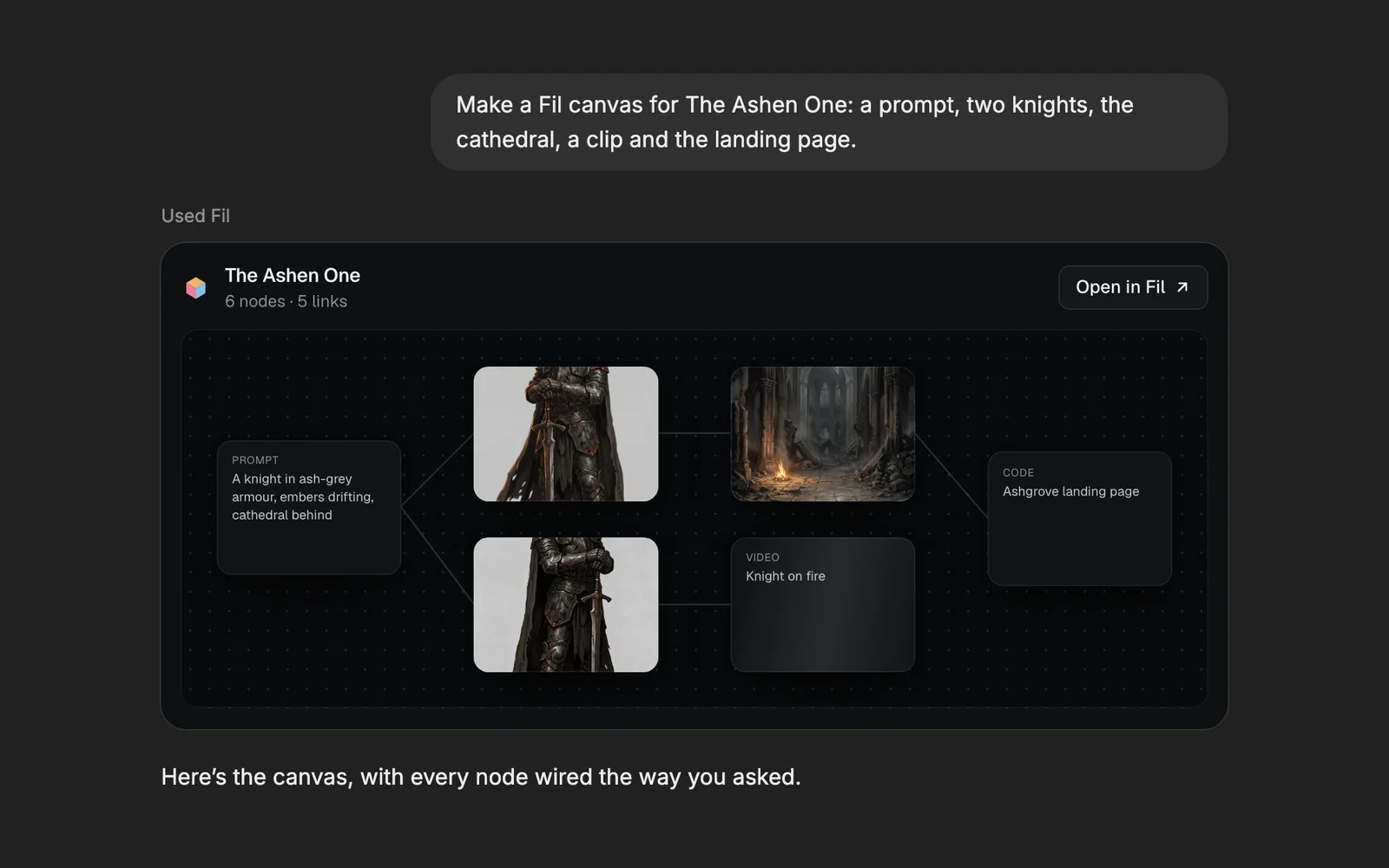
Fil works inside ChatGPT. Add Fil as a plugin, then ask in a chat: "make a canvas for a coffee brand with a logo and three product shots". ChatGPT builds it on your Fil canvas, live, and its answers show your canvas, a run's price and its results as cards. The same plugin works in Codex.
Add Fil to ChatGPT
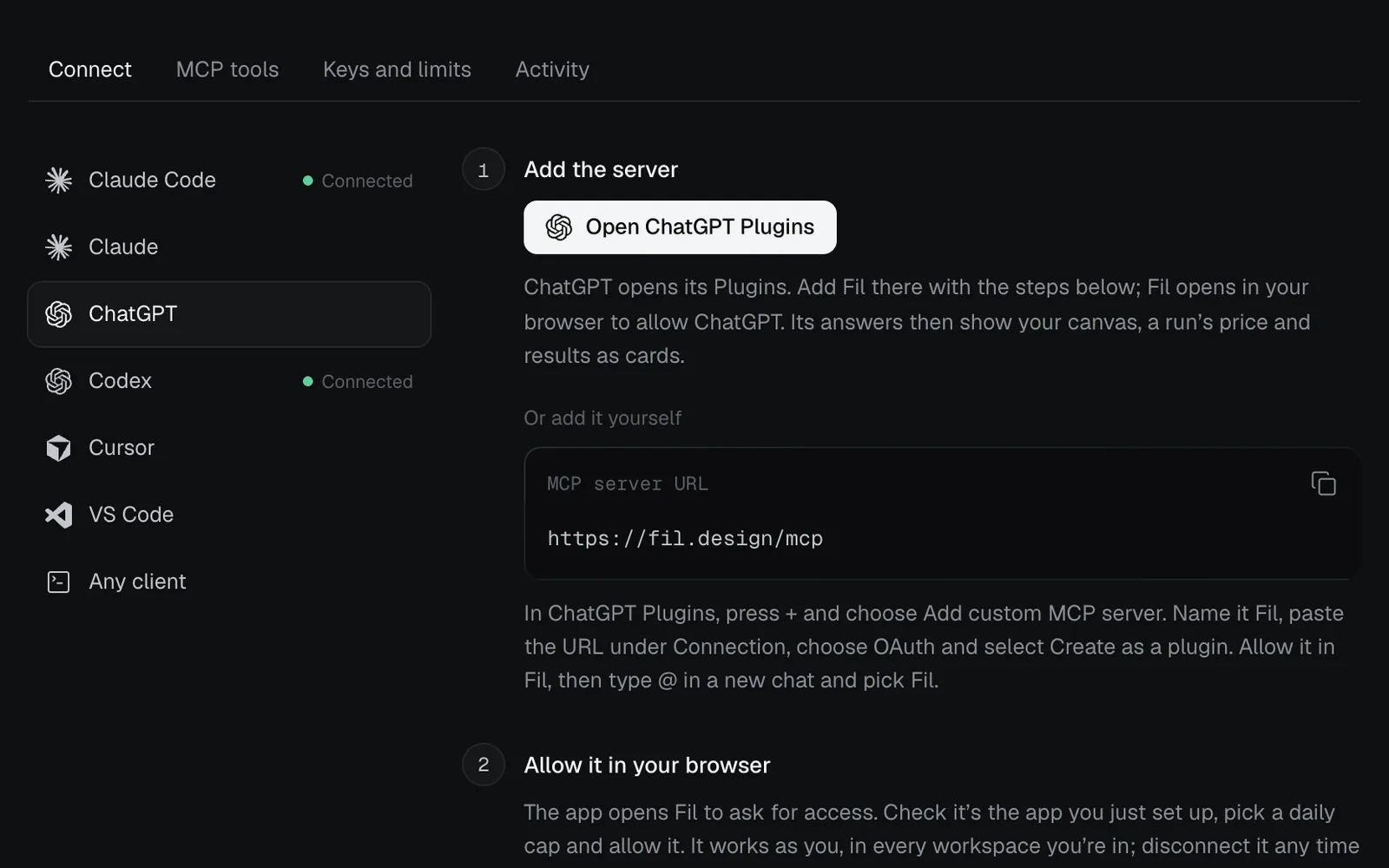
- In Fil, click More in the sidebar, then Agents (open Agents), then Connect an agent, and pick ChatGPT.
- Copy the MCP server URL, then click Open ChatGPT Plugins.
- In ChatGPT Plugins, press + and choose Add custom MCP server. Name it Fil, paste the URL under Connection, choose OAuth, and select Create as a plugin.
- Fil opens in your browser to ask for access. Check it's ChatGPT, pick a daily cap on the credits it can spend, and allow it.
- Start a new chat in ChatGPT, type @ and pick Fil. Then ask in plain words.
What you see in the chat
Fil's answers come with cards drawn in Fil's own look, light or dark as ChatGPT is:
| Card | Shows | You can |
|---|---|---|
| Canvas | The canvas's nodes where they sit, with their pictures | Open it in Fil |
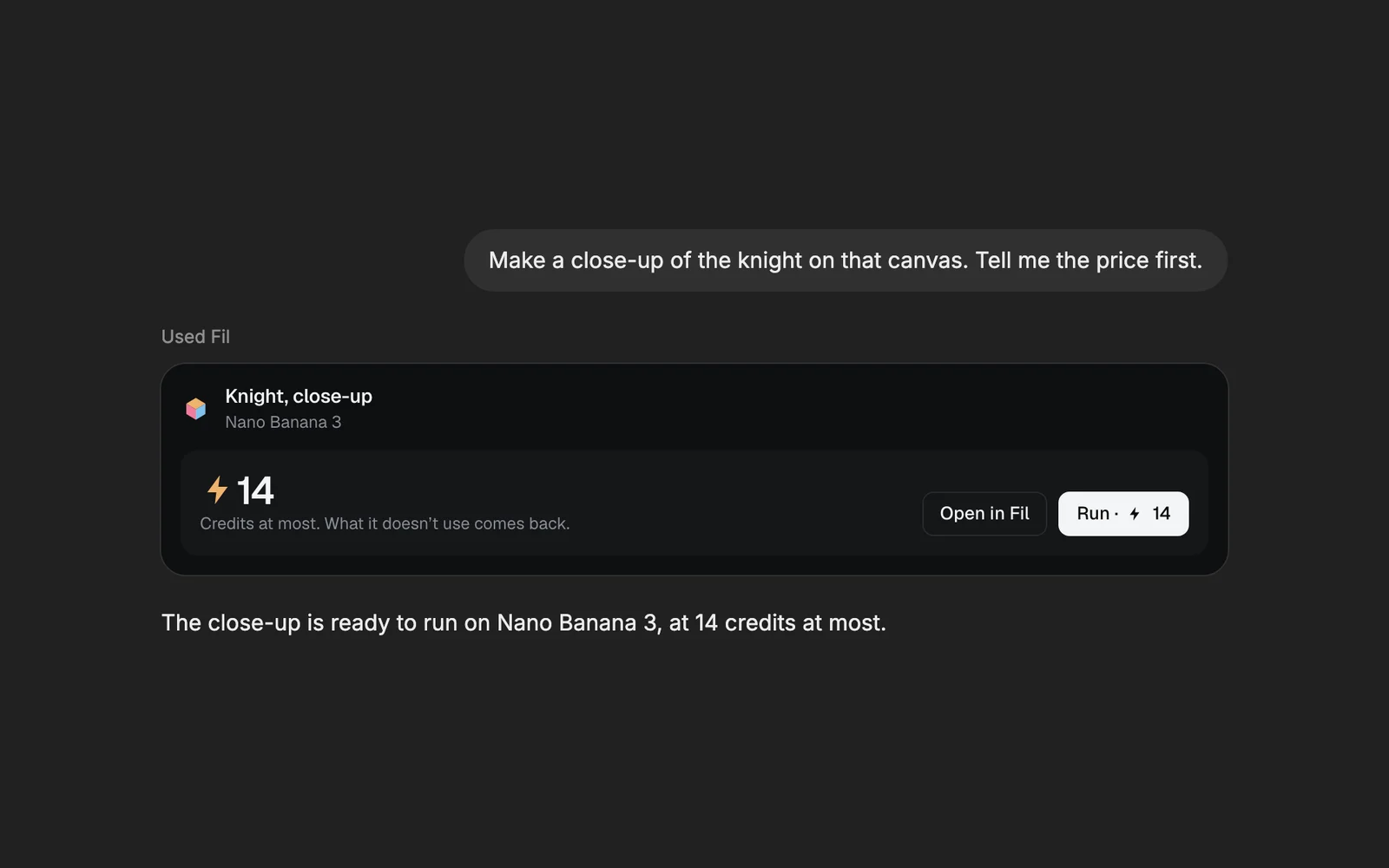
| Price | What will run, on which model, and its price in credits | Run it, or open it in Fil |
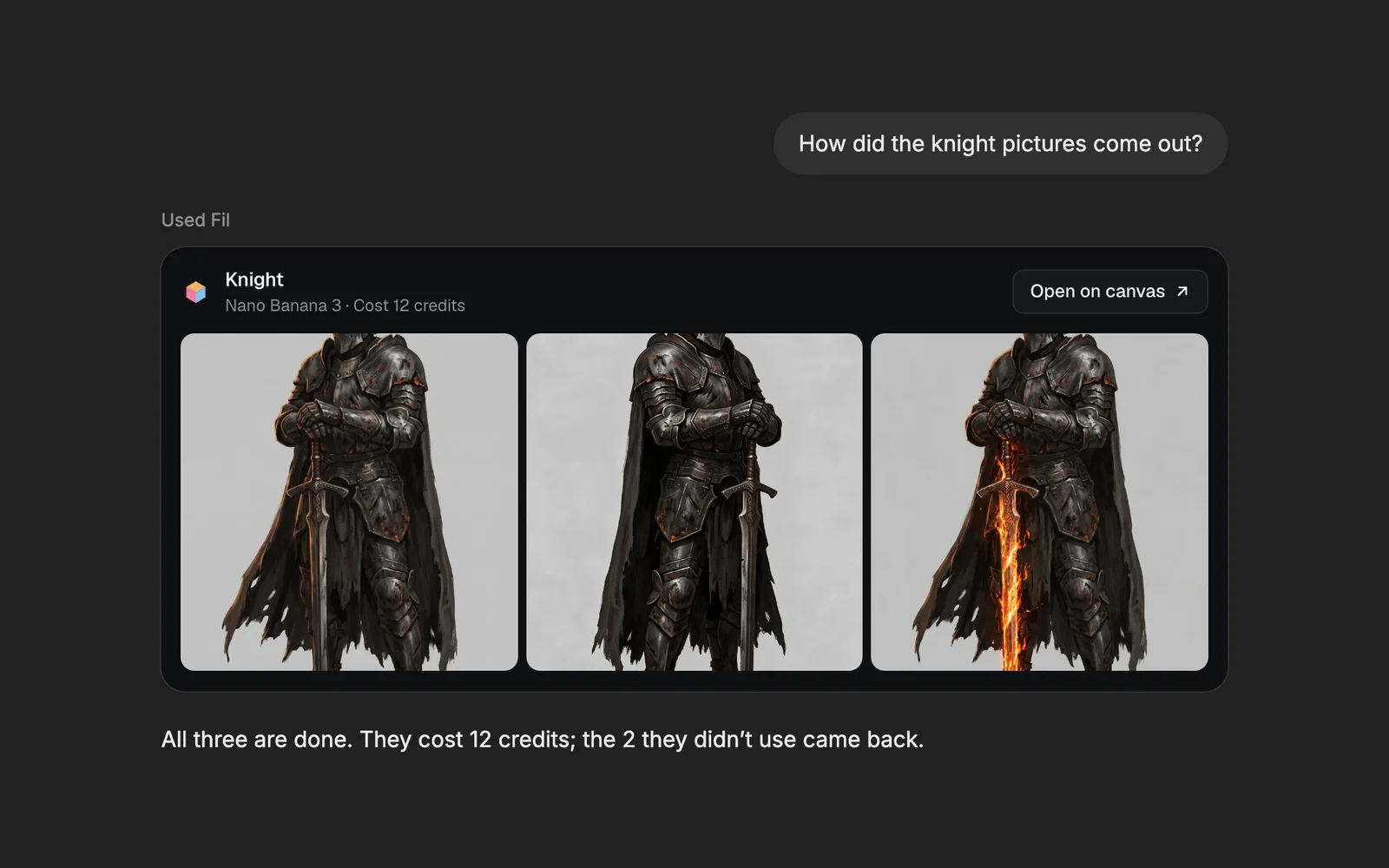
| Results | The pictures or video a run made, and what it cost | Open one, or open it on the canvas |
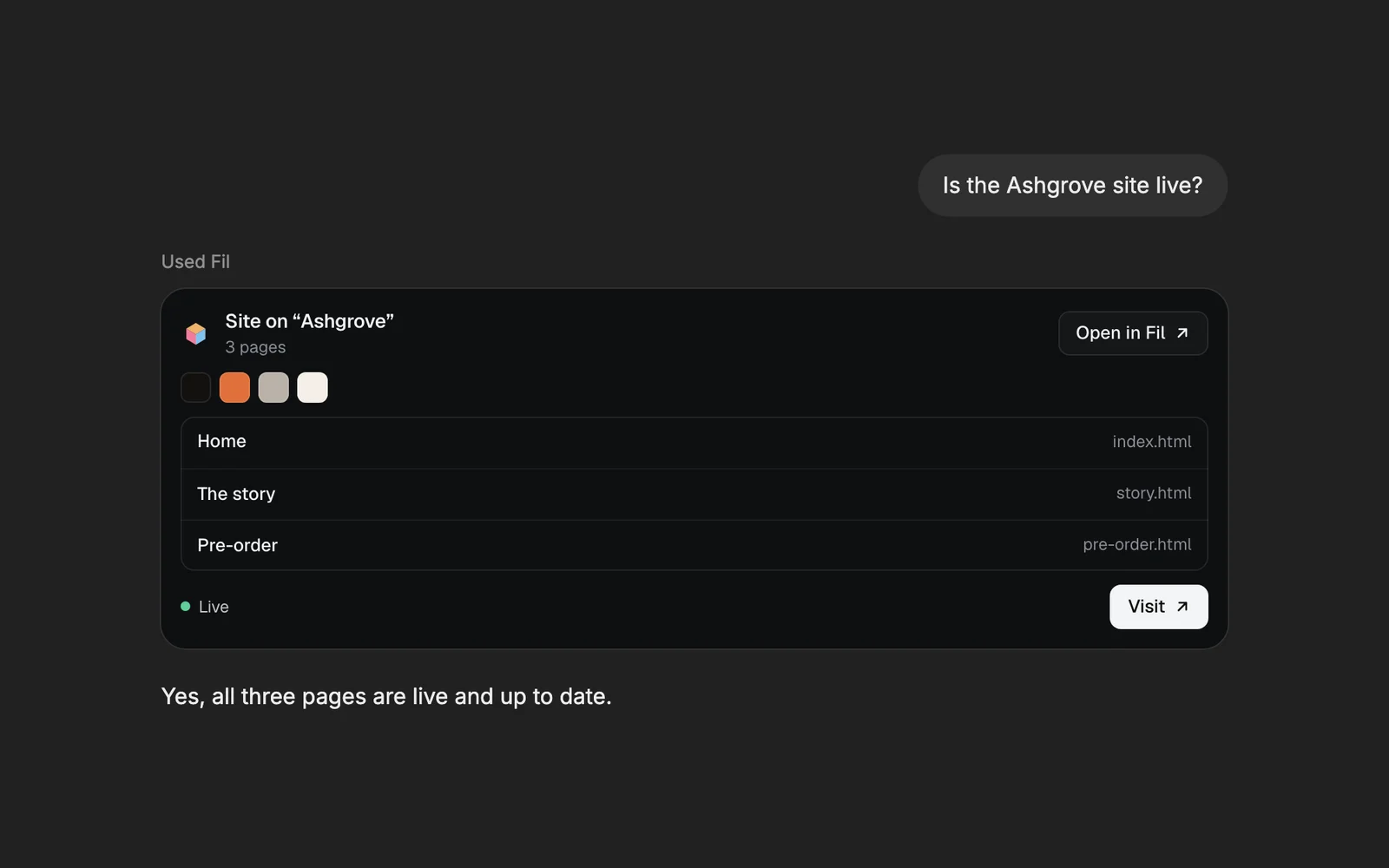
| Site | A site's pages, its colours, and whether it's live | Visit it, or open it in Fil |
ChatGPT also reads every answer as text, so it can tell you what's on a canvas, wire nodes together and pick up where you left off.
Credits: priced before anything runs
Pictures, video, 3D and other runs spend your Fil credits, as they do in Fil. ChatGPT asks Fil for the price first and shows it on a card. Nothing runs until you press Run or say yes, and a run never spends more than the price it showed. What a run doesn't use comes back when it settles.
Reading a canvas, writing files, editing a site, video edits and effects on a picture are free. The daily cap you picked when you allowed ChatGPT limits what it can spend in a day. Change it, or disconnect ChatGPT, under Agents › Keys and limits. See Credits and plans for what runs cost.
Results and sites
When a run is done, Fil's card shows what it made and what it cost. Ask "how did they come out?" and ChatGPT checks the run for you.
Sites work the same way. Ask for a landing page and ChatGPT writes it on your canvas, then changes its words, colours and components for free. It publishes the site only when you ask.
Use Fil in Codex
Codex uses the same plugin. Under Agents › Connect, pick Codex and follow its steps. Codex signs in to Fil through your browser, the same way ChatGPT does.
What's next
- MCP tools: every tool ChatGPT and Codex use in Fil, and which ones spend credits.
- Credits and plans: what runs cost, holds and refunds.
- Publish a website: put a site ChatGPT made on the web.