Voiceovers, sound and music
Make AI voiceovers with ElevenLabs, OpenAI, Gemini and Grok voices, sound effects and music up to five minutes on a Fil canvas, then use them in a video.
An Audio node on a canvas turns text into a voiceover, or a description into a sound effect or a piece of music. It plays right on the node, keeps every take, and feeds straight into the video editor, so a picture or a clip and its sound sit side by side.
There's no Audio view in the sidebar: sound is made on a canvas. Chat and Auto plans can add Audio nodes for you, some workflows include them (a voiceover in the Reel planner, music in the Promo video), and agents such as Claude Code can make sound on your canvas.
Make a voiceover (text to speech)
- Open a canvas and click the music note in the toolbar at the bottom (its tooltip reads Audio), or press 6. You can also right-click the canvas and pick Add audio.
- A new Audio node appears on the audio model you used last (ElevenLabs v3 the first time). Click its box ("Describe what to make") and type the words to read aloud, exactly as they should be said.
- Pick a voice from the chip at the foot of the node. On ElevenLabs it reads George (default voice); its menu is headed Voice. To change the model, use the chip at the top right (see below).
- Press Generate. The price beside it is for the words you've typed.
- The node shows "Generating" and a timer; a voiceover is usually ready in seconds. Press play on the node to hear it, or click the waveform to jump to a moment.
Press Add on a node with a result to make another take: the node keeps every take, and the one you pick feeds what it's wired into. As with any canvas node, Claude reads a new run before it starts; if a change would help, a Review card offers Generate as is or Apply and generate (see Canvas basics).
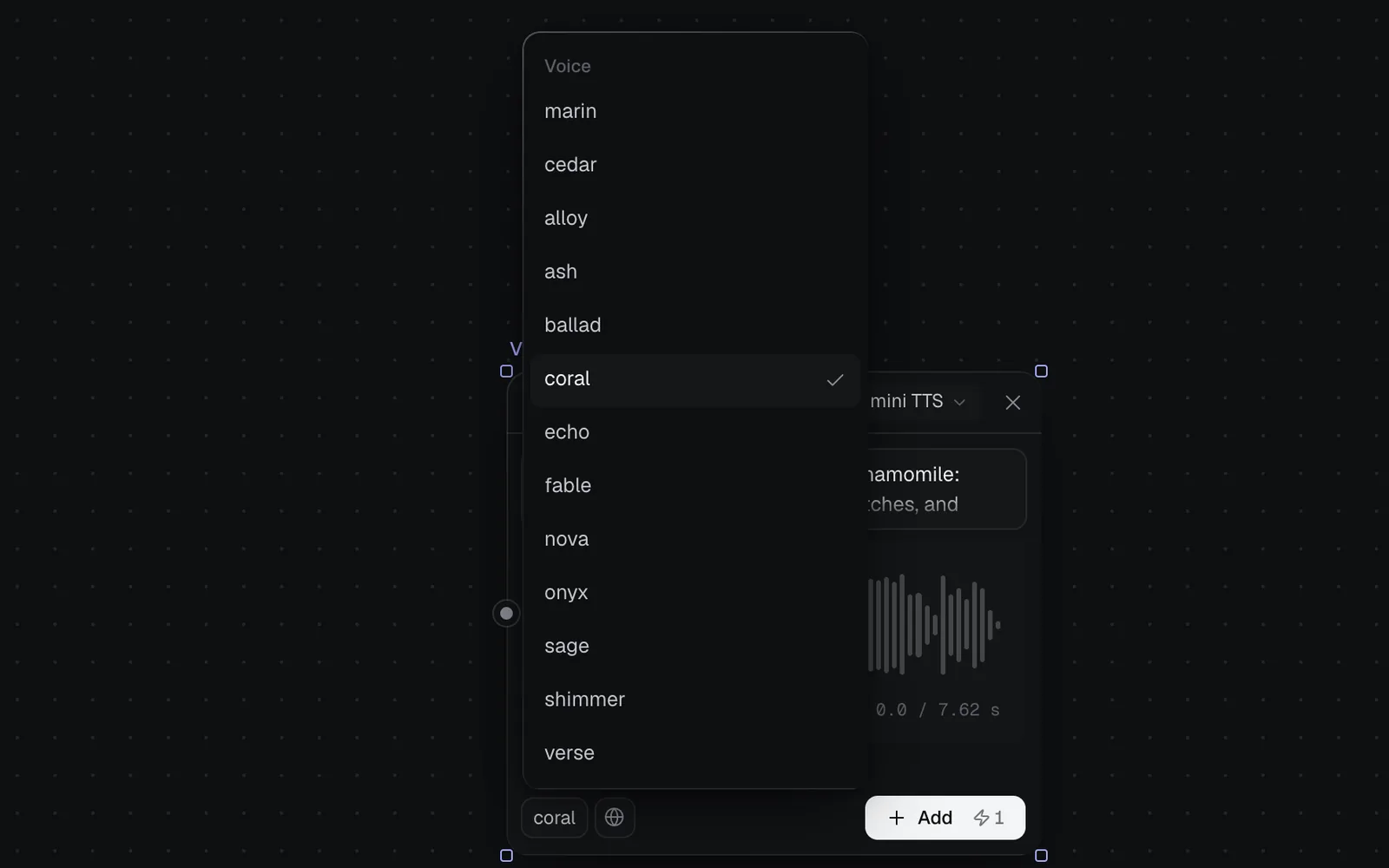
Choose a voice model
Click the model chip at the top right of the node, then Audio generation, to see every sound model with its maker and what it does. Pick one and the node's chips change to that model's settings.
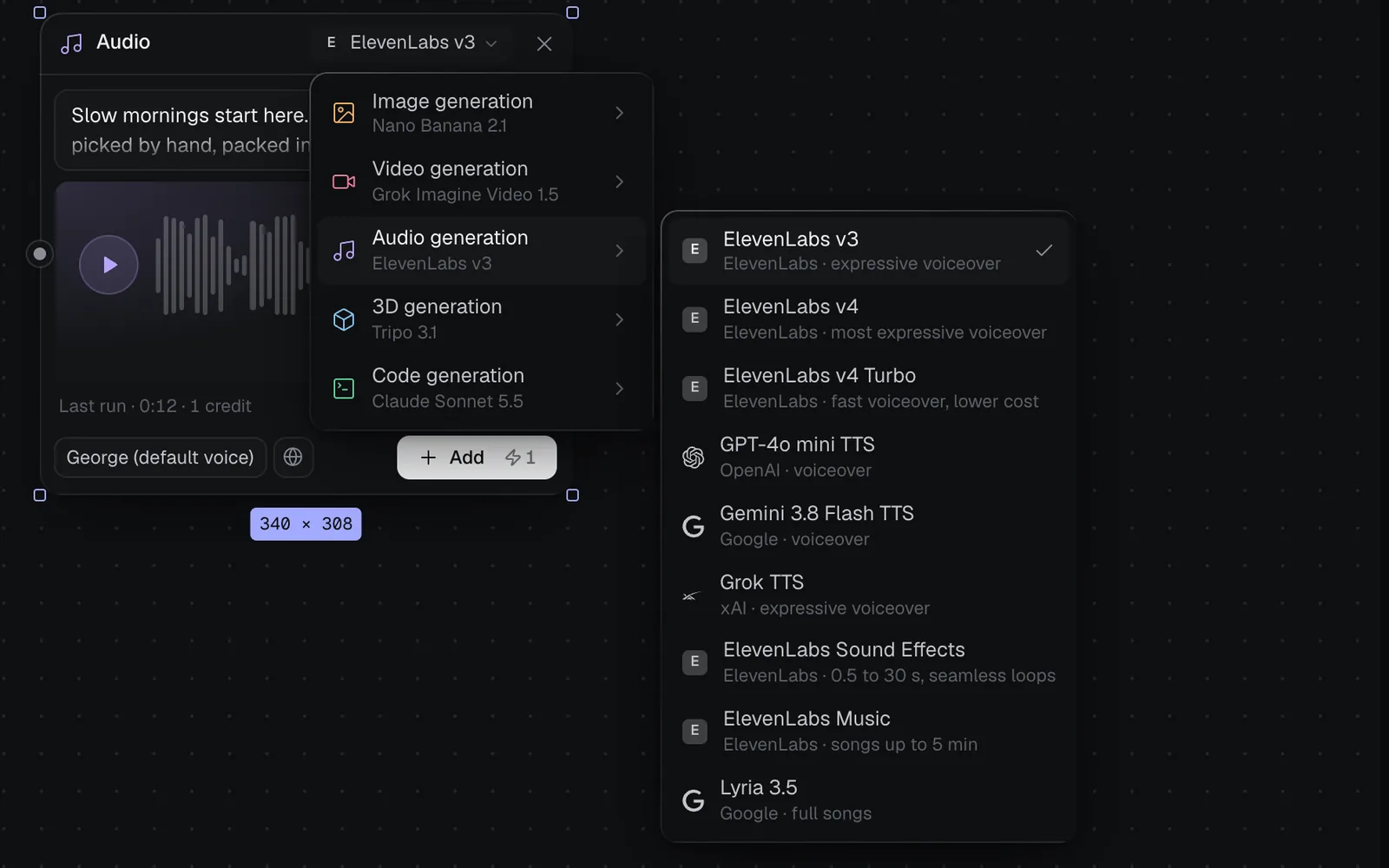
| Voice model | Credits per 1,000 characters | Voices | Best for |
|---|---|---|---|
| ElevenLabs v3 | 8 | ElevenLabs' list, from George | Expressive |
| ElevenLabs v4 | 8 | The same | Most expressive |
| ElevenLabs v4 Turbo | 4 | The same | Fast, lower cost |
| GPT-4o mini TTS | 1.5 | 13, from marin | Low cost |
| Gemini 3.8 Flash TTS | 1.5 | 30, from Kore | Low cost |
| Grok TTS | 1.5 | 28, from Eve | Expressive, with tags |
A voiceover costs at least 1 credit, rounded up per run: a 4,000-character script costs 32 on ElevenLabs v3 or v4, 16 on v4 Turbo and 6 or 7 on the others. The price counts every character it reads: the node's own words, plus a prompt or document wired into it. Prompts can be up to 4,000 characters. Gemini's voiceovers come back as WAV files; the rest are MP3s.
Make a sound effect
Pick ElevenLabs Sound Effects and describe the sound: what makes it, where, and how close ("A stovetop kettle coming to the boil, a soft whistle rising, then the click as it's lifted off the heat").
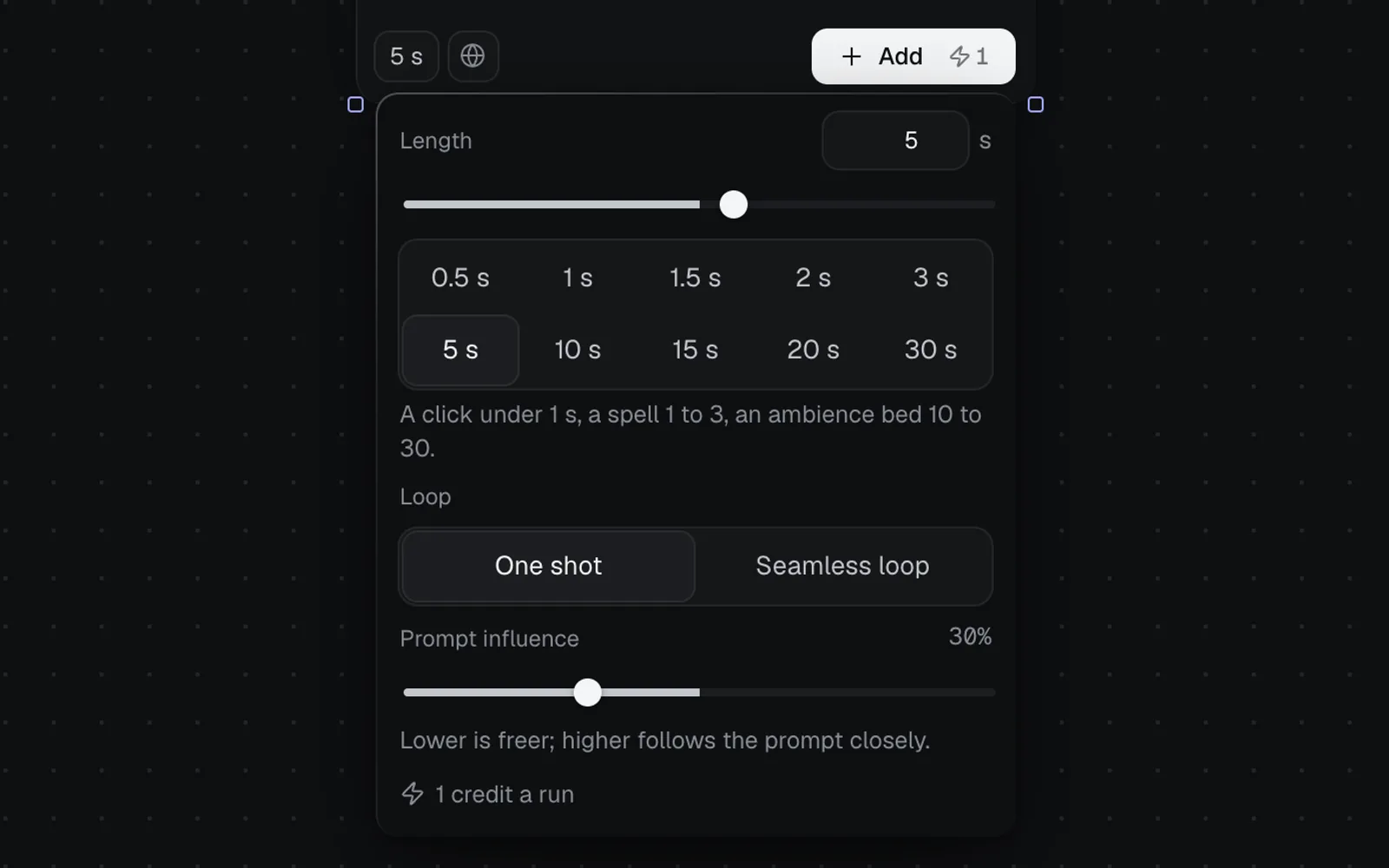
Click the length chip at the node's foot (it reads 5 s, or 5 s · Loop) to set:
- Length: 0.5 to 30 seconds, typed, slid or picked from the presets. "A click under 1 s, a spell 1 to 3, an ambience bed 10 to 30."
- Loop: One shot, or Seamless loop for a sound that repeats without a seam, such as rain or a room tone.
- Prompt influence: 30% to start. "Lower is freer; higher follows the prompt closely."
Changes save as you make them, and the panel shows the price: 1 credit up to 5 seconds, then 2 for 10 s, 3 for 15 s, 4 for 20 s and 6 for 30 s. A description can be up to 1,000 characters.
Make music
Pick ElevenLabs Music or Lyria 3.5 and describe the music: the genre, the instruments, the tempo, the mood and what it's for ("Warm fingerpicked acoustic guitar with a soft kick and brushed snare, 80 bpm, unhurried morning mood, instrumental, loops cleanly"). Both make songs, so name the vocals and the words if you want singing, or say "instrumental" for a bed under a voiceover.
| Music model | Length | Credits |
|---|---|---|
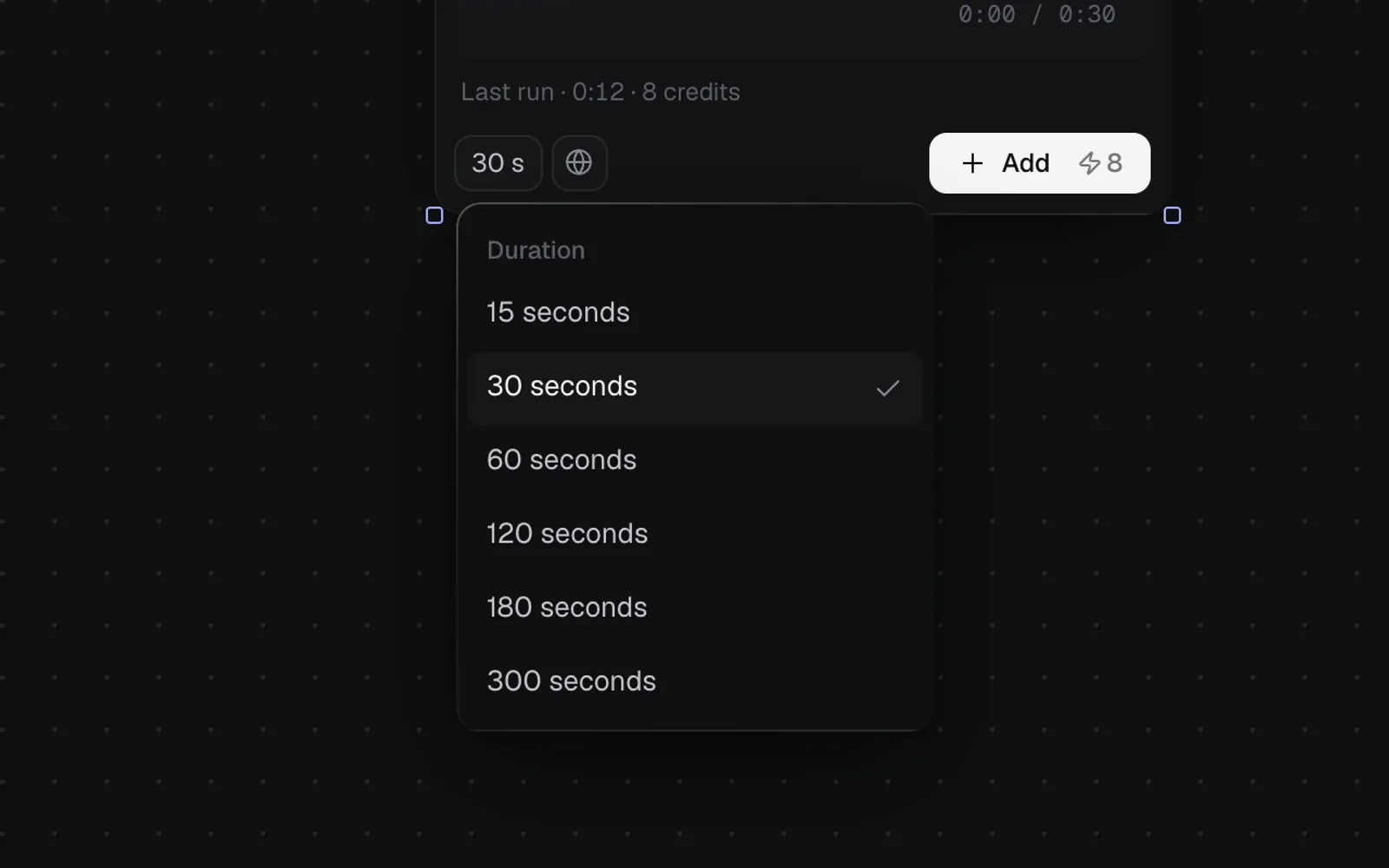
| ElevenLabs Music | 15, 30 (the default), 60, 120, 180 or 300 seconds, from the length chip (its menu is headed Duration) | 4, 8, 15, 30, 45 or 75 |
| Lyria 3.5 | No length setting: the model decides | 8 a song |
A description can be up to 2,000 characters.
Play, download and find your sounds
- On the node: play and pause, click the waveform to jump, and the time played out of the length.
- In the full view: click the expand button at the top right of the sound (its tooltip reads View full size) to hear it large, with its waveform.
- To download, select the node, then click Download MP3 (or Download WAV) in its details on the right.
- In the Library, every sound you make or upload is under Audio.
Sounds stay in your library: Community never shows them, whatever your plan.
Use your own sound file
Drop a sound file on a canvas, or right-click the canvas and pick Upload files: WAV, MP3, M4A or AAC, OGG or Opus, FLAC and WebM all work. It becomes a file node that plays like any other, with its length and format.
Wire a sound file into an Audio node to keep it beside the versions made from it, such as the voice line you're replacing. No model hears it: audio models don't take references. Drag from a sound file's dot to make a new Audio node from it, and it starts on a sound effect model (ElevenLabs Sound Effects), set to that sound's length.
Add sound to a video
- On the canvas, select the pictures and clips for the scenes and the voiceover (hold ⇧ and click each).
- Click Add to video editor in the details on the right (with several selected it reads "Add to video editor · 4"), or right-click one of them.
- If the canvas has no video edit yet, the video editor opens with a new one, and a Video edit node joins the canvas, wired from what you picked. If it has some, a menu headed Add to lists them, with New video edit.
- Pictures play 3 seconds each and clips for their length, one after another. Sounds start at the beginning on the Audio lane, one after another, and a sound that runs past the last scene stops with it and fades out, so add scenes enough to cover the voiceover.
- To play music under the voiceover, keep the playhead at the start, pick Sounds in the editor's Media panel and press the music's + (its tooltip reads Add at the playhead), or drag it onto the timeline. It goes on a lane of its own, Audio 2, and fades out where the scenes end.
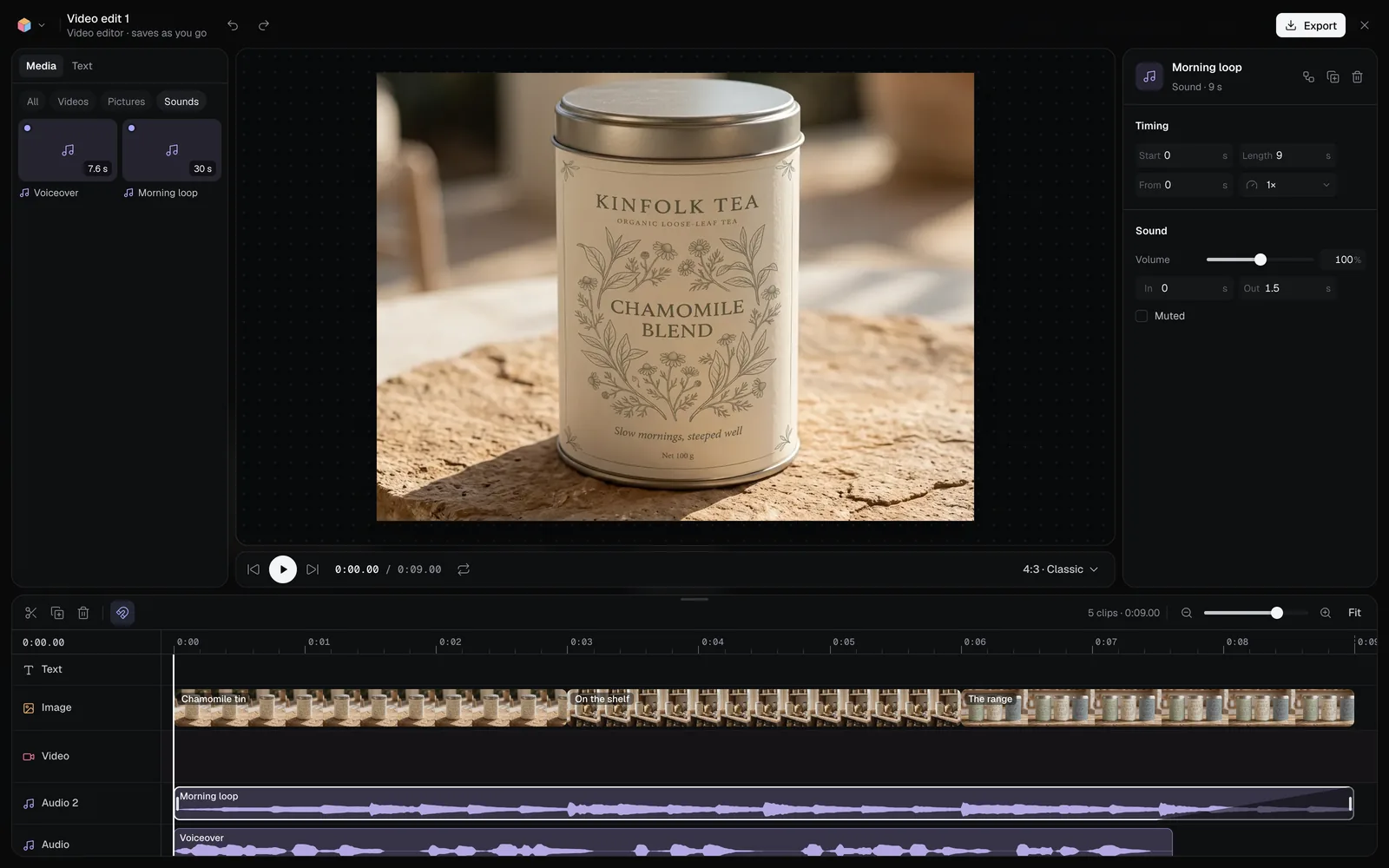
See Lanes to mute or lock a lane, The video editor to trim and arrange clips, and Export and render videos for the MP4.
Costs and limits
- Sound runs can't be stopped once they start. A run that fails is refunded in full.
- Voiceovers read up to 4,000 characters at a time: split a long script across several nodes.
- Sound effects run from 0.5 to 30 seconds; ElevenLabs Music up to 5 minutes.
What's next
- The video editor: put voiceovers and music under your scenes.
- Video generation: most video models make their own sound, and Kling 3.0 can make a silent clip for yours.
- Chat with Claude: ask for a voiceover, a jingle or a sound and Claude plans the nodes.
- Canvas basics: nodes, links and runs.