Download a website or sync it to GitHub
Download a Fil website as HTML or a zip, a React app as a checked Vite project, and push a site to its own GitHub repository, then commit, push and pull.
Every site you make in Fil is yours to take away. Download one page as an HTML file, a whole Website as a zip with its pictures, data and design system, or a React app as a Vite project, checked that it builds first if you like. Or keep the site in a GitHub repository of its own: Fil commits and pushes its changes, and pulls what changes on GitHub back in.
Download a page as an HTML file
- On the canvas: select a page and click Download HTML in its properties.
- In the full view: click Download at the top.
- In the Design tab: Download at the top right, then This page (.html).
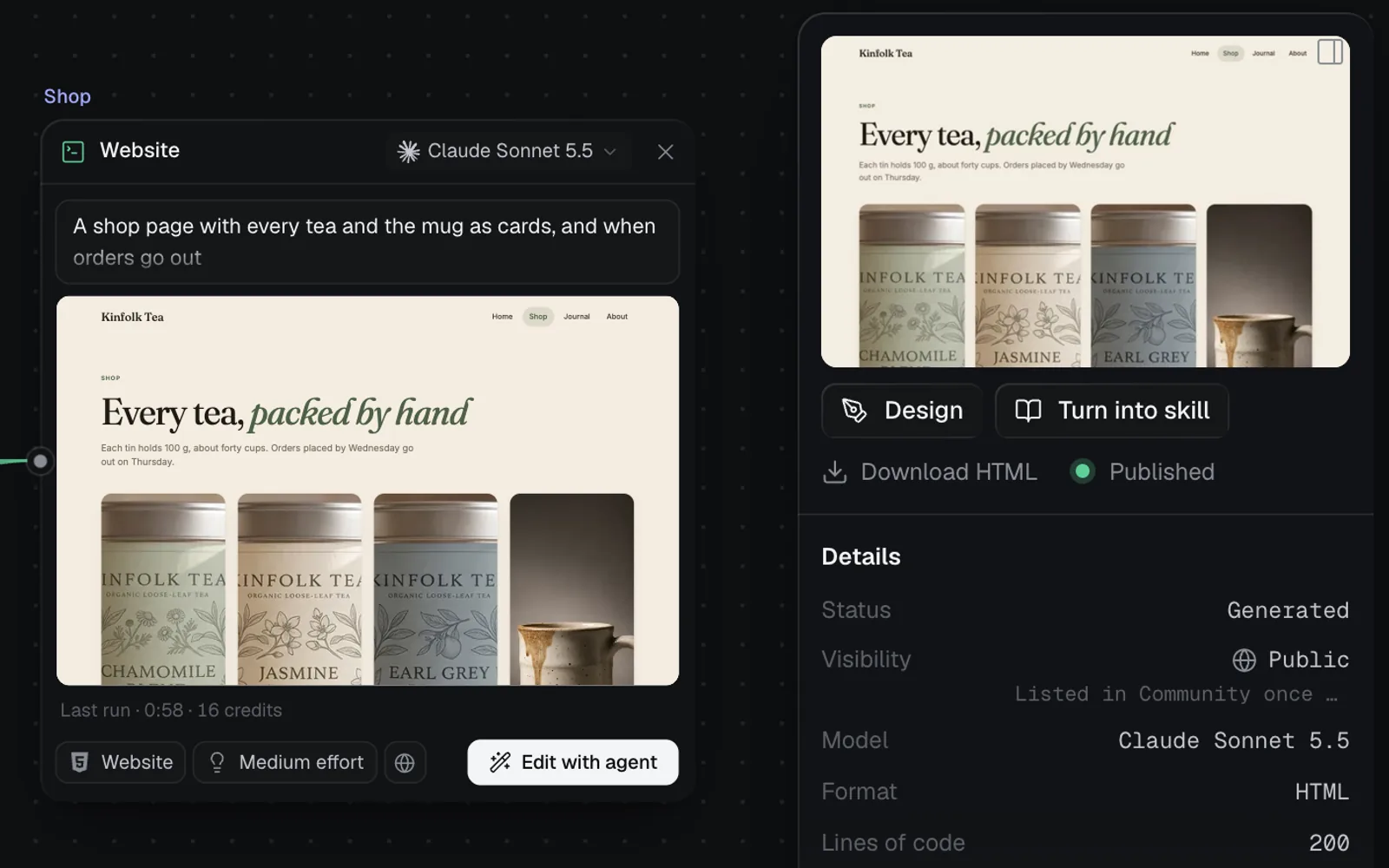
You get one .html file with the pictures and videos it shows inside it, so it opens anywhere. Web fonts and scripts from the internet stay as links. A Simple HTML page has no menu: its Download downloads it at once.
Download a whole website as a zip
- Open one of the site's pages in the Design tab: select it on the canvas and click Design in its properties.
- Click Download at the top right, then The whole site (.zip). (The main menu, the Fil logo at the top left, has it too: File, then Download the whole site (.zip).) Fil shows "Zipping the site…", then "Downloaded Kinfolk-Tea.zip: 4 pages."
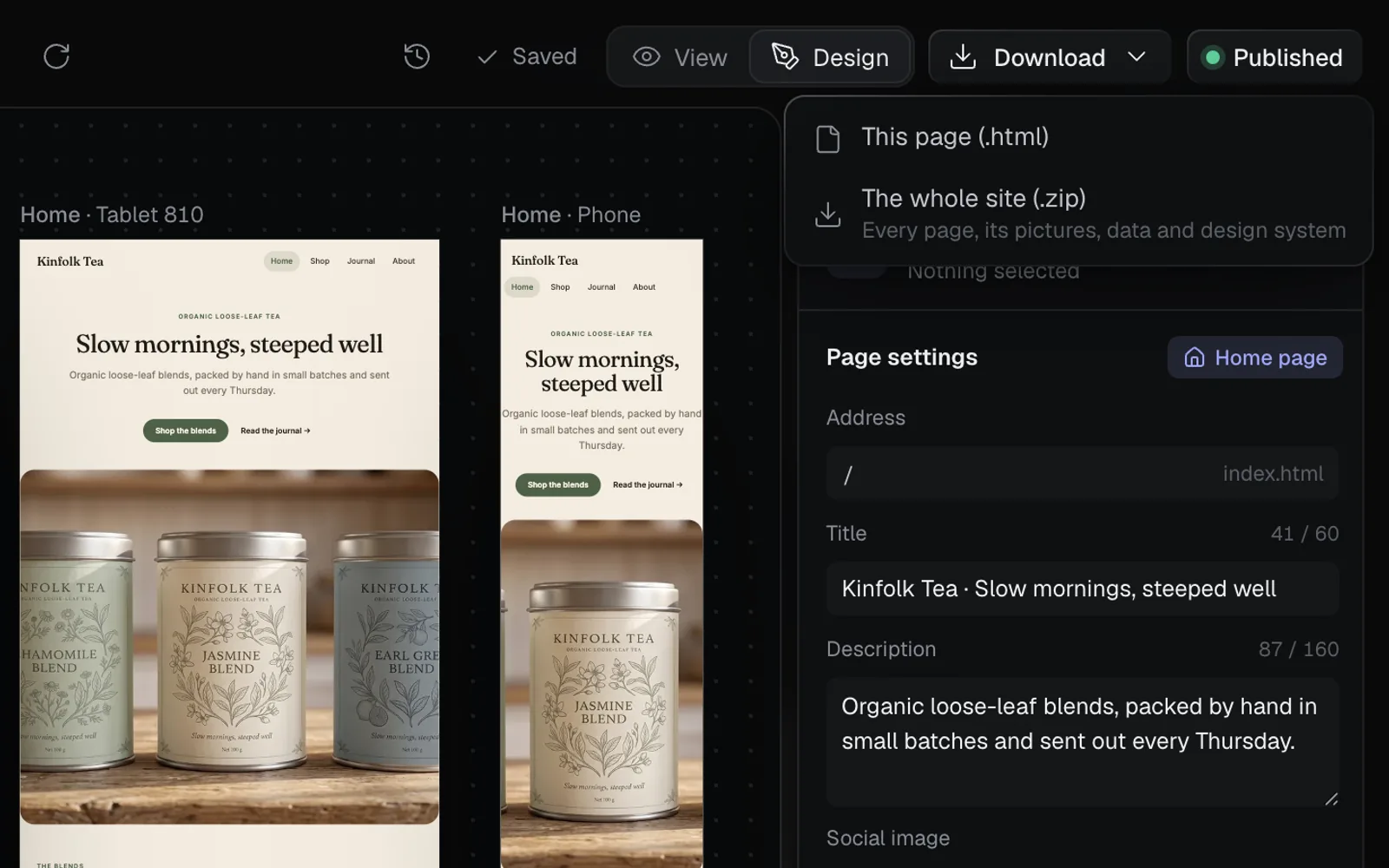
| In the zip | What it is |
|---|---|
index.html, shop.html… | Every page, the home page as index.html. Links between them work |
products/… | A page for each entry of a collection with a detail page |
data/ | The site's content as JSON (or CSV or SQL, as its data node keeps it) |
images/ | Every picture and video the pages show, at full size, as they were made |
design-system/ | Its colours, type and components: tokens.css, tokens.json (W3C design tokens), design-system.json, a styleguide.html, each component as HTML, and a README |
The zip is named after the site. Open index.html in a browser, or upload the folder to any web host. Its pictures are the originals, so a zip can be bigger than the published site, which serves lighter copies (see Publish a website). To export the design system on its own, see Design systems.
Download a React app as a Vite project
- On the canvas: select the app and click Download project in its properties.
- In its editor: click Download, then Vite project ("Every module as a file, ready for npm install") or HTML file ("The app as one file, as it runs here").
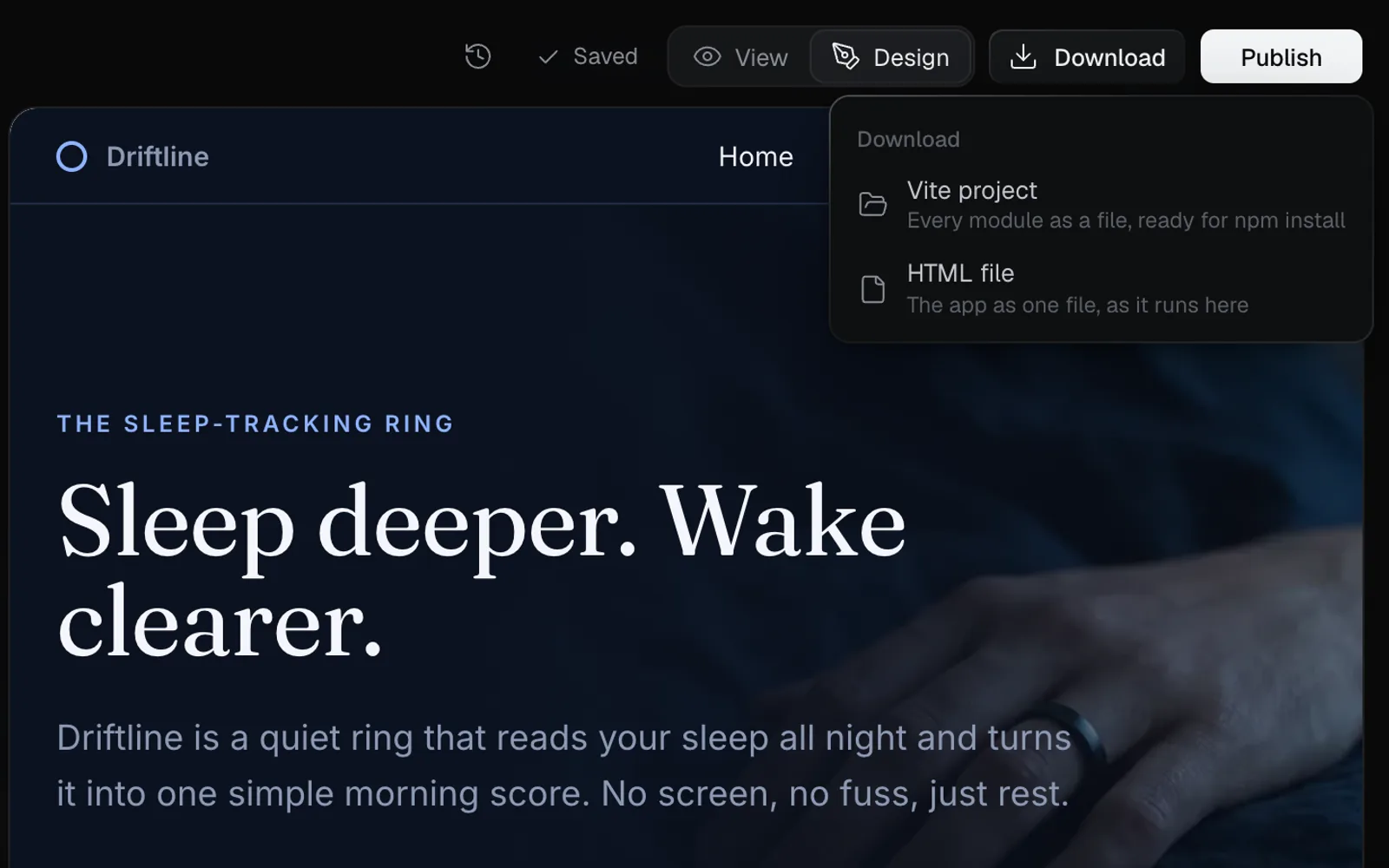
Download project checks the build first
A Vite project can be checked before it downloads, the way build checks work: Fil installs, builds and tests it as its download. A version that passed its check ("Builds · 152 KB") downloads at once. One that hasn't been checked, or didn't pass, opens a panel under the button first.
- Click Download project. The panel reads "This version hasn't been checked", or "This version didn't pass its check" with what failed.
- Click Check first (Check again after a check that failed or couldn't run). It's free and takes about 20 seconds: "Checking the build", then "It downloads as soon as it passes."
- When it passes, the project downloads, even if you closed the panel, and the properties read "Builds · 152 KB". If it fails, a message says what failed ("The build check found an error, so Driftline wasn't downloaded.") with Download anyway.
- Or click Download anyway in the panel to take it as it is, unchecked.
In the editor, Download › Vite project checks the version you just saved; when that fails, its panel lists the errors with Fix with agent. Check first counts toward the day's 30 checks; past them, the panel says so and Download anyway still works.
The Vite project is a zip named after the app, such as Driftline.zip. "Downloaded Driftline.zip, a Vite project: npm install, then npm run dev."
unzip Driftline.zip -d driftline
cd driftline
npm install
npm run devnpm run build writes the finished site to dist/. Inside the project:
| File | What it is |
|---|---|
src/main.jsx, src/index.css | The entry that starts the app, and its global styles |
src/App.jsx | The app and its list of pages |
src/pages/, src/components/ | Each page and component, with its CSS |
src/data.json | Its content, from its data node |
src/tokens.css | Its colours and type, from its design system |
public/images/ | The pictures it shows, at full size |
index.html, package.json | The page that loads the app, and its packages, with React 18 |
vite.config.js, README.md | Vite's settings, and how to run it |
The HTML file loads React from the internet when it opens, and isn't checked first. For an app made from a folder you dropped, the HTML file still loads that app's files from Fil, so keep your original project folder for an offline copy. See React apps.
Push a website to GitHub
A Website, a Simple HTML page or a React app can live in a GitHub repository of its own, with every page, its data and its design system as files. It's free on every plan, and each person connects their own GitHub account, so commits are theirs.
Connect your GitHub account
- Open the site in the Design tab, or the app in its editor, and click Publish at the top right (Published or Update once the site is live).
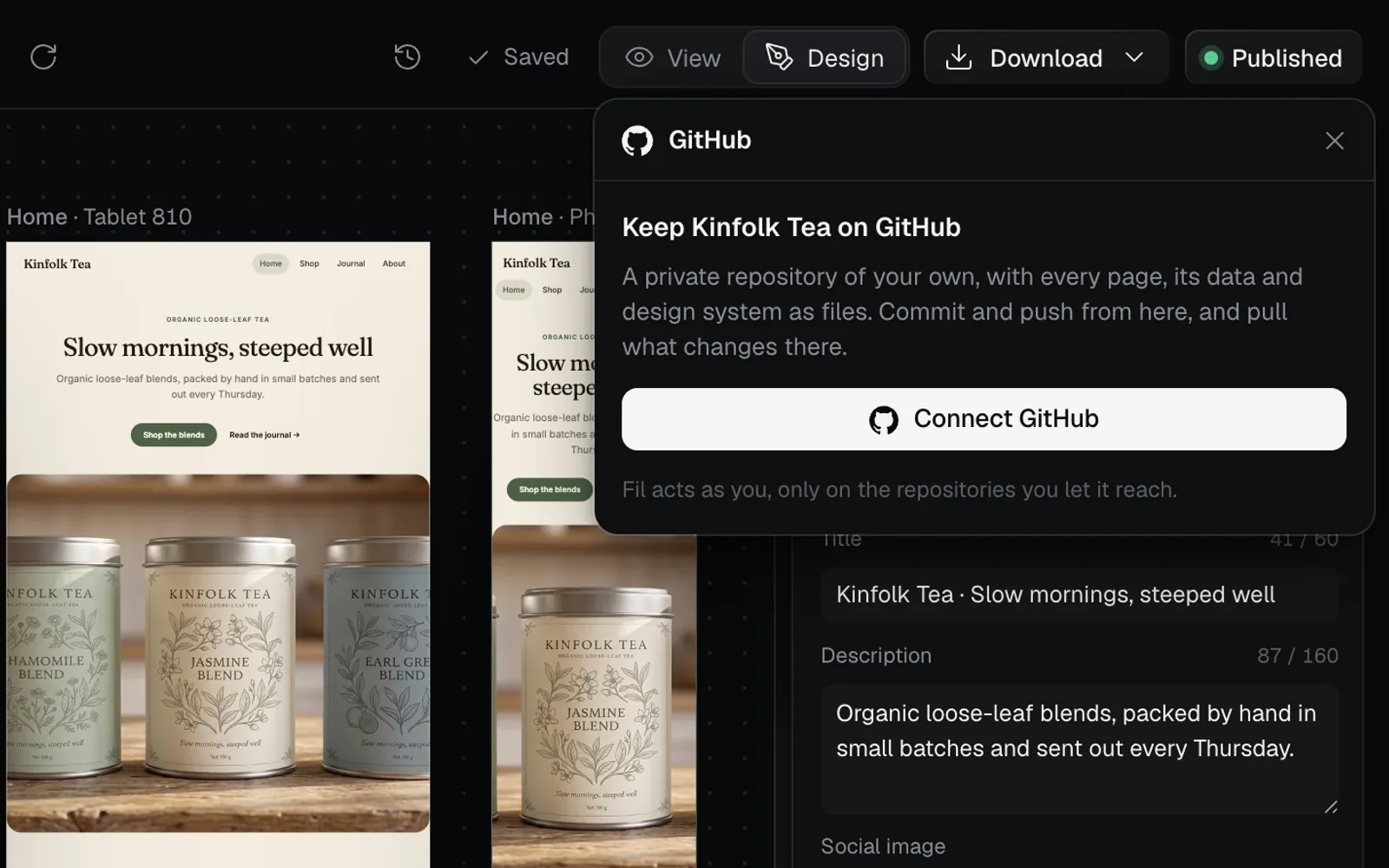
- In the GitHub row, click Connect…. The GitHub panel opens: "Keep Kinfolk Tea on GitHub" (for a React app, "Keep this app on GitHub").
- Click Connect GitHub and sign in to GitHub in the window that opens.
- The first time, the panel then reads Install Fil on GitHub: click it, and on GitHub choose the account or organization Fil may make repositories in. You can limit it to the repositories you pick.
Make a repository and push the site
Once you're connected, the panel offers a repository (the recording at the top of this page shows every step). Once it's made, the panel lists what the first push sends:
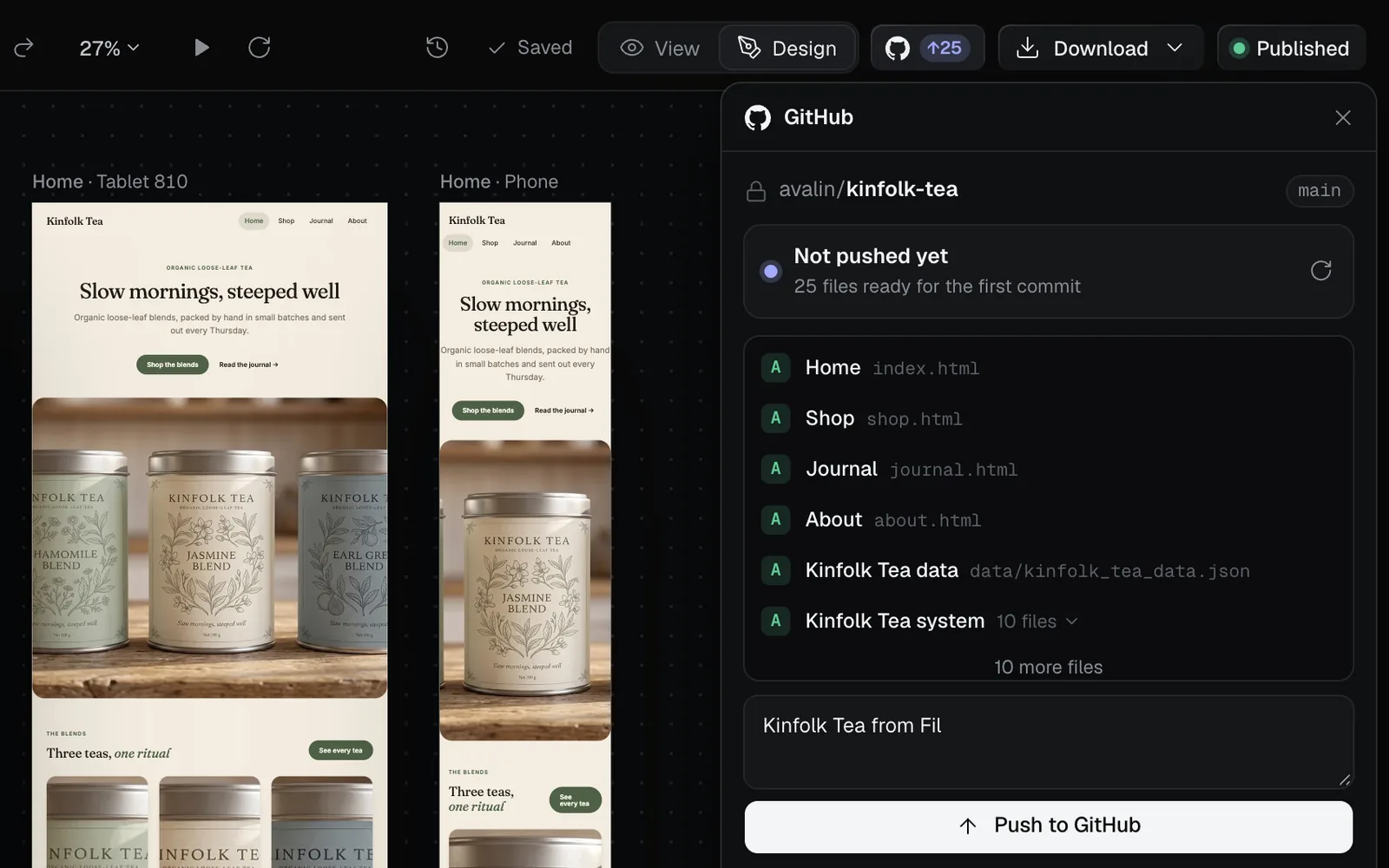
- Pick New repository, and the Account to make it in: yours, or an organization (Add an account or organization… adds another). The name starts as the site's; Private is on. Click Create repository: "Made avalin/kinfolk-tea. Push the site to fill it."
- The panel says "Not pushed yet" and lists the files. The commit message starts as "Kinfolk Tea from Fil" ("The app from Fil" for a React app). Click Push to GitHub.
- "Pushed 25 files." with View the commit, and the status reads Up to date.
- Use an empty one links a repository you already have instead: an empty one, or one with only a README, a license or this site's own files.
- Sync automatically is on once a site has a repository, new or linked: while the site is open in the Design tab, saves go to GitHub and GitHub's changes come in on their own. Turn it off in the panel to push and pull yourself.
- Once a site has a repository, a GitHub button sits at the top of its editor, with a badge for what's waiting: ↑3 to push, ↓1 to pull.
Push later changes
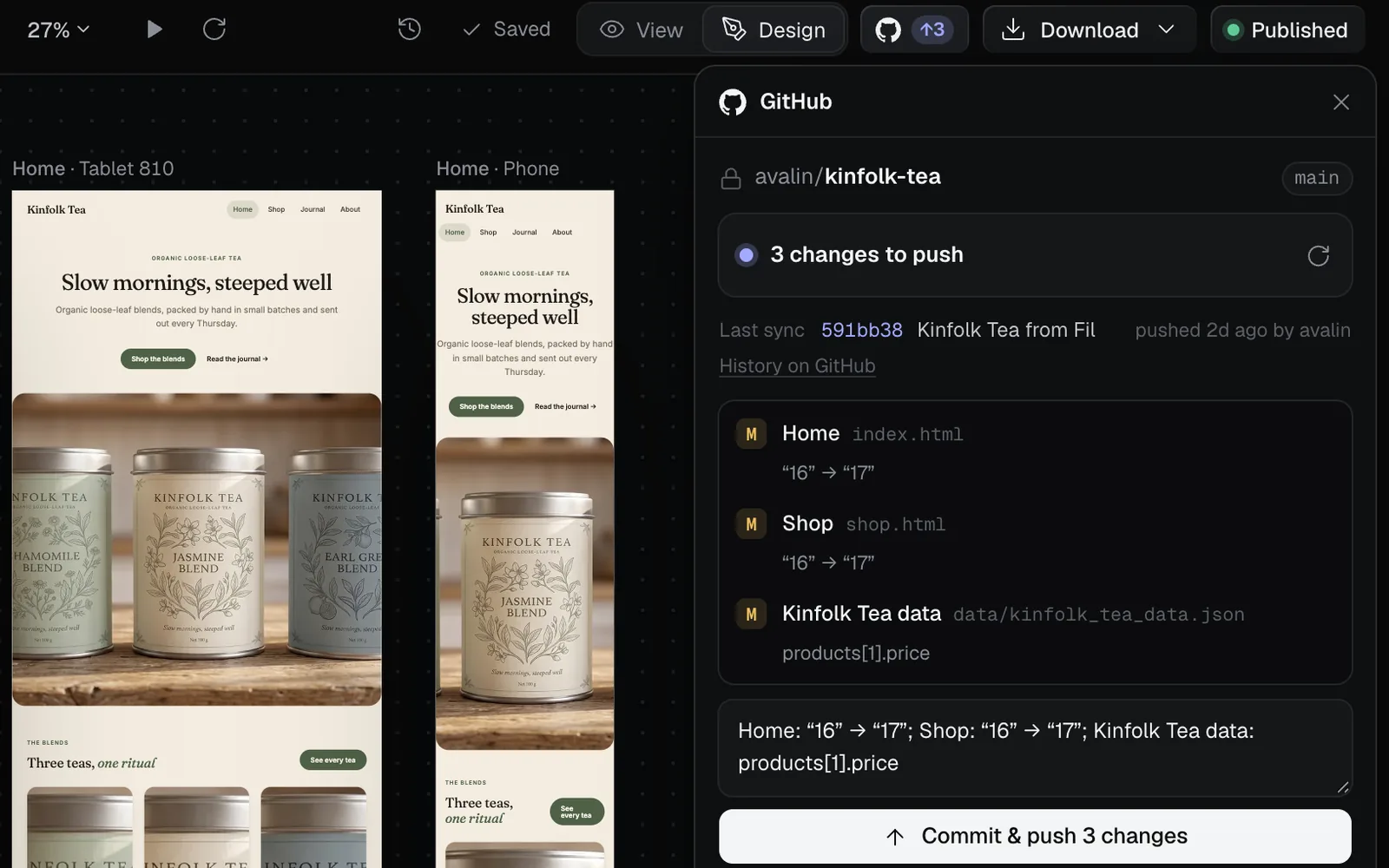
- Click the GitHub button at the top of the editor.
- The panel lists each changed file with a letter (A new, M changed, D removed) and what changed in it, such as “16” → “17” for a price. The message is written from those changes; edit it if you like.
- Click Commit & push 3 changes (the number is how many).
With Sync automatically on, Fil does this on each save.
Pull changes made on GitHub
When someone changes the repository on GitHub, the badge shows ↓ and the panel says Updates on GitHub, with the new commits and the files they touched.
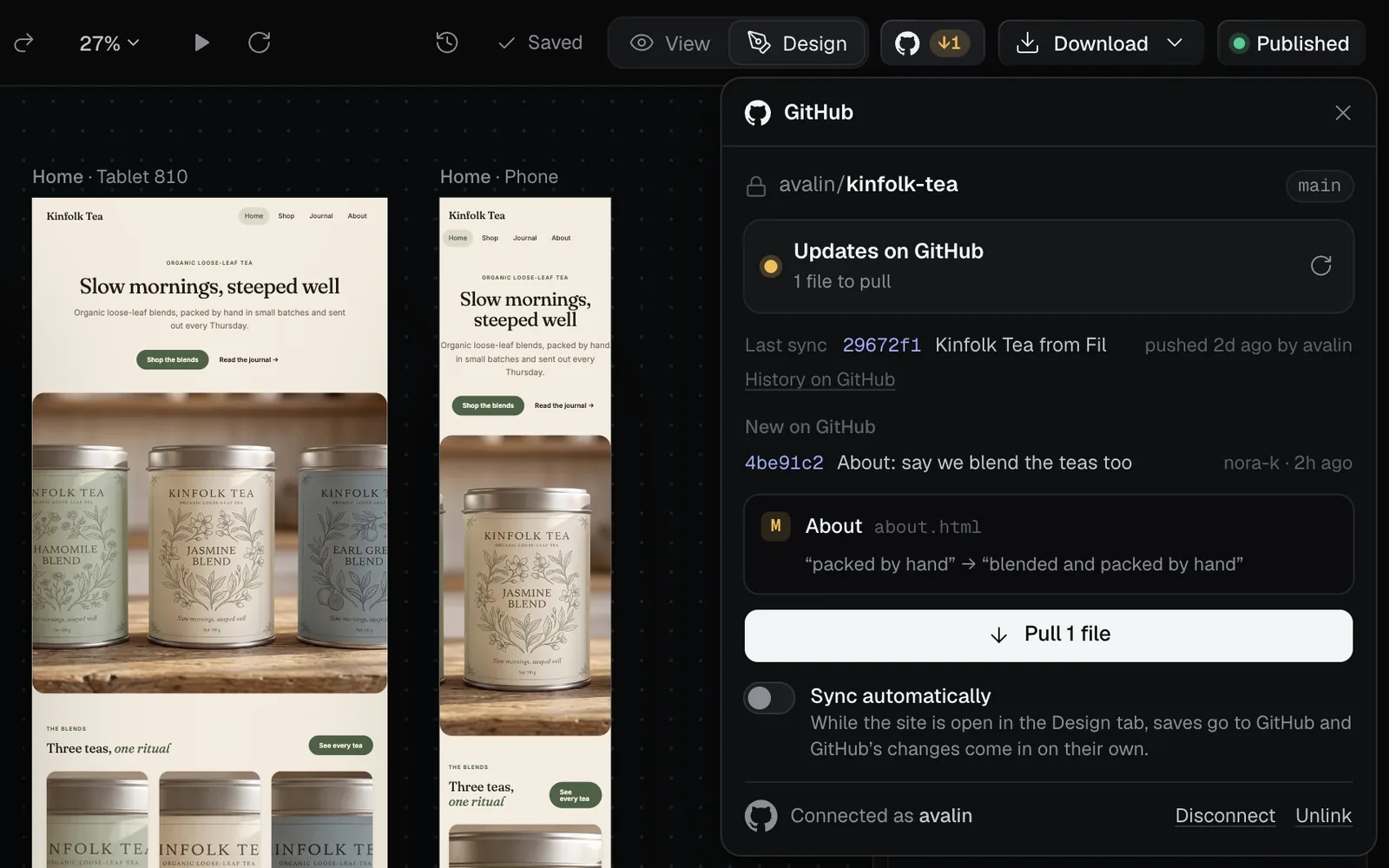
- Click Pull 1 file (the number is how many). Each file comes back as a new version of its page, data or design system, at no cost, and pages that use them follow.
- Pages and text merge line by line, and data field by field, so changes to different parts never clash. When GitHub and Fil both changed a file, in different places, the button reads Pull and merge: one pull brings both together.
- When Fil and GitHub changed the same lines, the panel shows both: pick Keep GitHub’s or Keep Fil’s.
- A new top-level page file made on GitHub, such as
contact-us.html, becomes a new page of the site. A page deleted on GitHub stays in Fil. - Files Fil doesn't make, such as a license or GitHub workflows, are never touched.
What's in the repository
- A Simple HTML page: the page and the pictures it shows, with a README.
- A Website: the same files as its zip, plus a README, except that a collection's detail page is one template,
products/[slug].html, instead of a page for each entry. Pages,data/anddesign-system/tokens.cssandstyleguide.htmlcome back into Fil when you pull; the other design-system files and the pictures, at full size, are made from Fil's copies. - A React app: its Vite project. Its modules,
src/data.jsonandsrc/tokens.csscome back when you pull;index.html,package.jsonand the rest of the project stay as GitHub has them.
Disconnect or unlink
- Unlink, at the foot of the panel, stops syncing this site for everyone on the canvas. The repository stays on GitHub.
- Disconnect signs you out of GitHub in Fil. Your repositories stay.
What's next
- Publish a website: put the site online at its own address.
- React apps: make, check and edit a React app before you download it.
- Dynamic websites with data: the data that ends up in
data/. - Design systems: the colours, type and components in
design-system/.