Forms on published sites
Add a form to a published Fil site and keep every answer in Fil: read surveys by question, get each answer by email, download a CSV or have an agent read them.
A form on a published Fil site keeps what people send in Fil: a contact form's messages, sign-ups, orders, the answers to a survey made with the Survey workflow. There's nothing to set up and no other service to connect. Read the answers by question or one by one in the site's Forms panel, download them as a CSV, get an email for each one, or have your agent read them.
Add a form to a page
Ask for one, and the agent builds it to keep its answers in Fil, with a thank-you that shows once it's sent:
- On a new page, say it in the prompt: "a page for Hearth's cake orders, with a form for the order".
- On a page you have, ask the agent in its Design tab: "add a contact form under the hero". See The design agent.
- For a survey, start the Survey workflow: its page is built on Fil's survey kit, which keeps every answer in Fil the same way.
It works on every kind of site: a Website, a Simple HTML page and a React app.
Write a form in your own code
If you write a page's HTML yourself, mark the form with data-fil-form and its name. Every field with a name is sent:
<form data-fil-form="contact">
  <label>Your name <input name="name"></label>
  <label>Email <input name="email" type="email"></label>
  <label>Message <textarea name="message"></textarea></label>
  <button type="submit">Send</button>
  <p data-fil-sent hidden>Thanks, we'll write back soon.</p>
  <p data-fil-error hidden></p>
</form>[data-fil-sent]shows once the form is sent, and[data-fil-error]shows why it wasn't. While it sends, the form hasdata-fil-state="sending", then"sent"or"error", to style it by.- A form drawn by a page's own script sends with
window.FilForms.send("signup", { email }), which returns a promise. - The form's name, such as
contact, is how the Forms panel lists it: lowercase letters, numbers and hyphens, up to 48 characters. Use the same name on several pages and their answers go together. - Groups of radio buttons and checkboxes are counted choice by choice, as a select's options are. Labels name each question.
- Fields starting with
_aren't kept. A hidden field named_hpthat people leave empty catches bots: anything sent with it filled in is answered as if kept, and dropped. - Files and passwords aren't sent.
Publish the site to start keeping answers
Answers are kept once the site is live: publish it, or click Update if it's already published. In a preview on the canvas, forms work as they will and send nothing; a survey says "This is a preview: nothing was sent."
Publishing reads every form on the site's pages, so the panel knows their questions. A form you add later shows once you Update the site. See Publish a website.
Read the answers
- Open the site in the Design tab and click Published (or Update) at the top right. On the canvas, select the site's node and click Published in its properties.
- The Forms row says how many answers there are and when the newest came. Click Open.
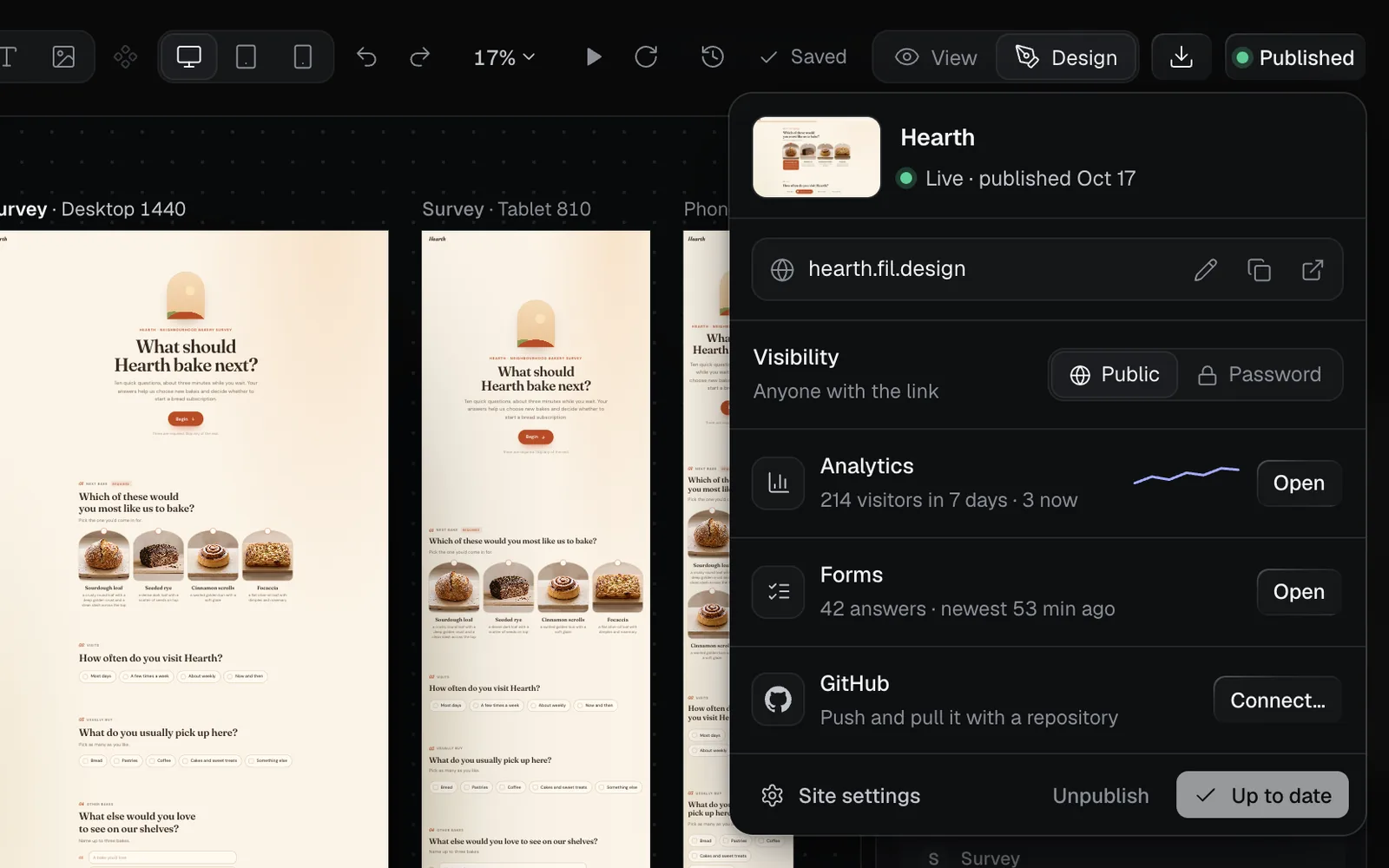
The Forms panel opens on the site's form. With more than one form, pick one at the top right; each shows how many answers it has. Site settings › Forms has the same row and opens the same panel.
Summary: each question, counted
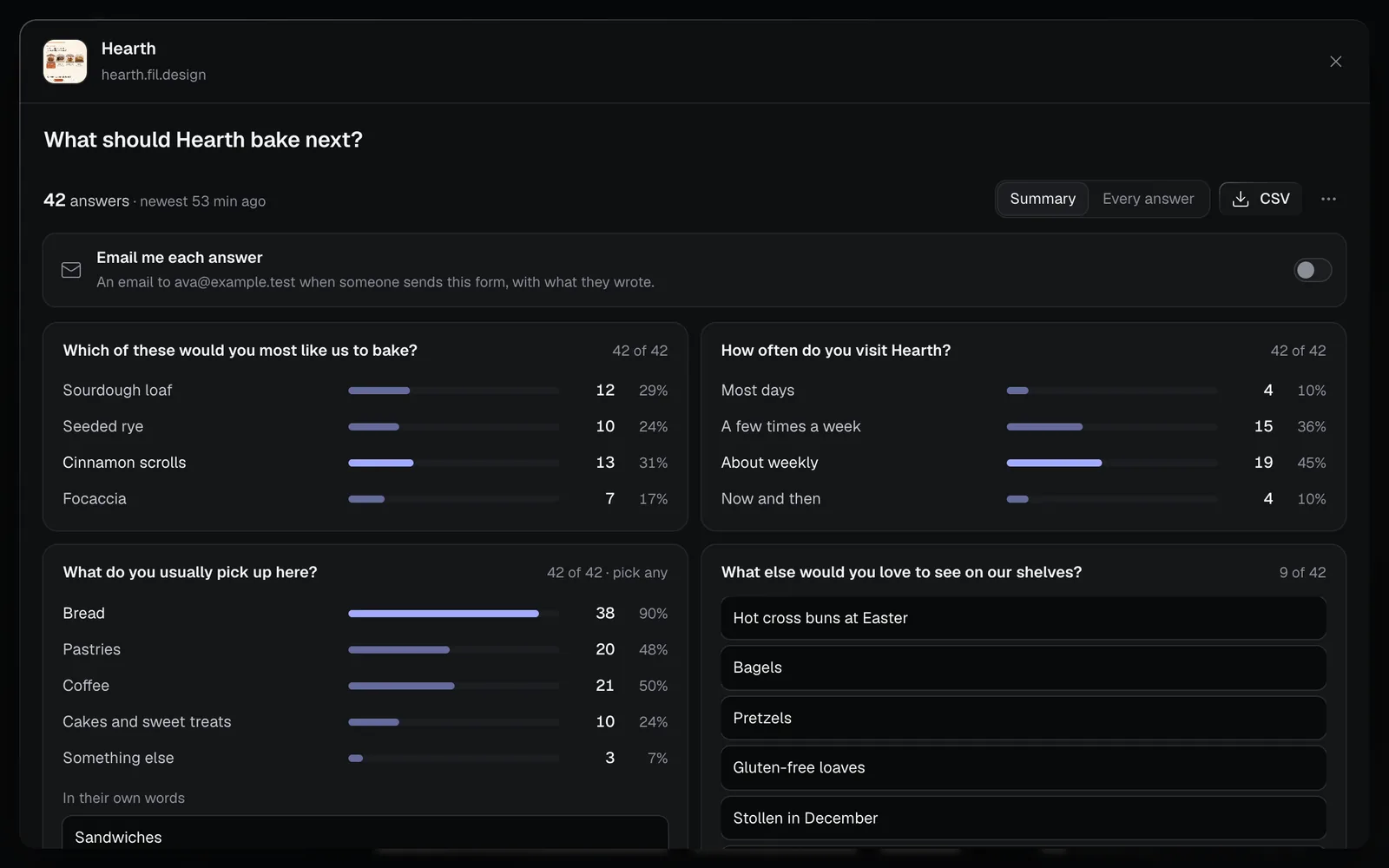
Summary shows each question with how many answered it, such as "40 of 42":
- A choice question lists every choice with its count and share, the most picked in colour. "pick any" marks a question where people could pick several.
- What people wrote under Something else is listed under "In their own words".
- A question answered in words lists every answer, newest first; Show all shows the rest.
Every answer, in a table
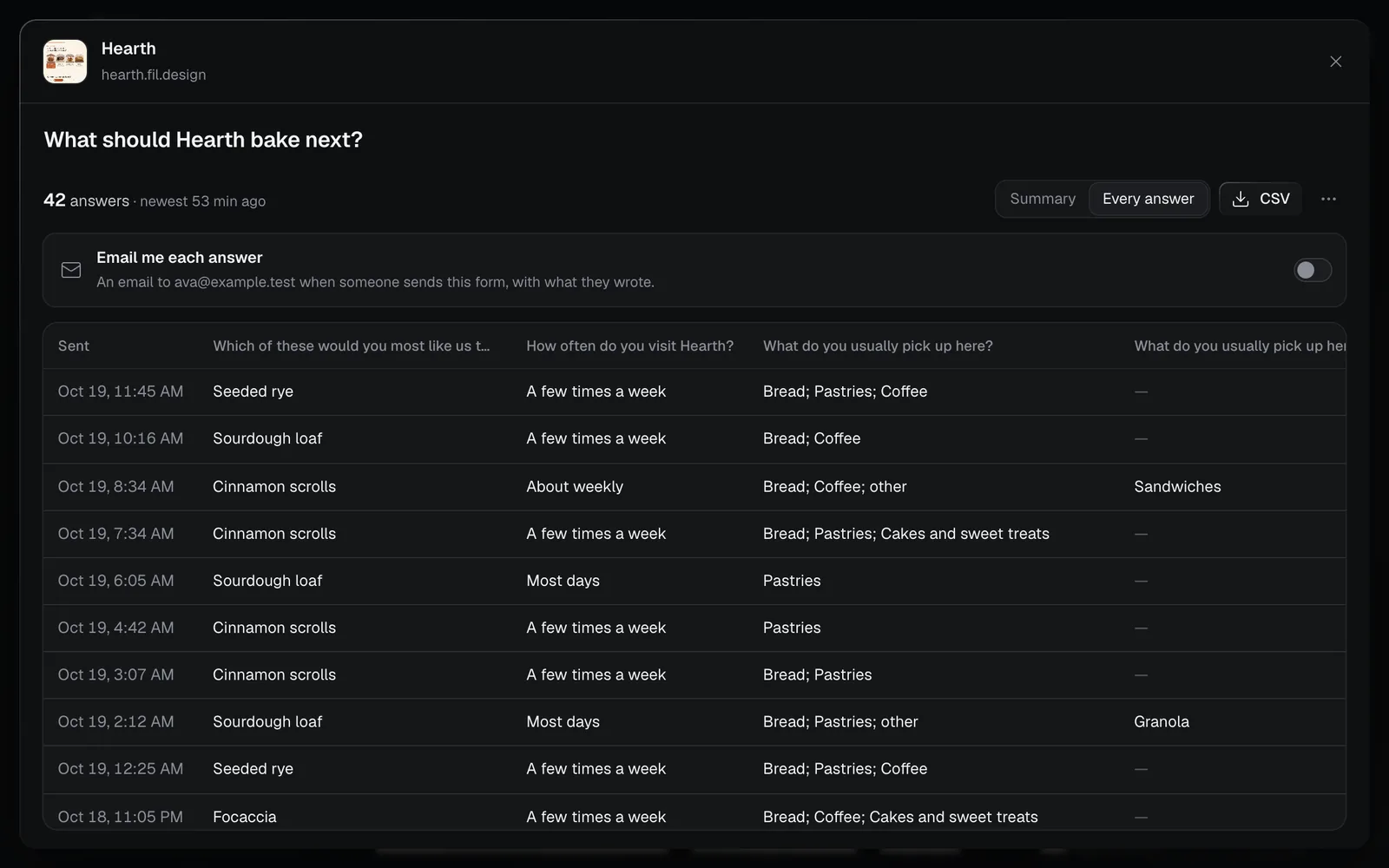
Every answer lists them newest first, a row each and a column for each question. Point at a time under Sent to see the page it came from. The table shows 100 at a time; Show more adds the next 100.
The panel reads new answers every minute while it's open.
Download a CSV
Click CSV for a file of every answer, newest first: when it was sent, the page, then a column for each question. Choices read as their words, not their codes, and a cell that starts with = + - or @ stays text, so a spreadsheet won't run it. The summary and the CSV cover the newest 2,000 answers.
Delete answers
- One answer: in Every answer, click the bin at the end of its row (Delete this answer).
- Every answer to a form: click the three dots beside CSV, then Delete every answer…. Fil asks first ("They can't be brought back."): Delete all or Keep them.
Get an email for each answer
Turn on Email me each answer at the top of a form's answers. Fil emails you what each person sends, question by question, at your account's address.
- It's for you alone, and form by form. The panel says when someone else on the site gets them too.
- When answers come in fast, they come together: at most one email every 5 minutes, then further apart while they keep coming, up to one an hour.
- When the form asks for an email address, reply to the answer's email to write to the person who sent it.
- See every answer in the email opens the Forms panel on that form. Its address, fil.design/#canvas/…/forms/…, opens it straight away, so you can bookmark it.
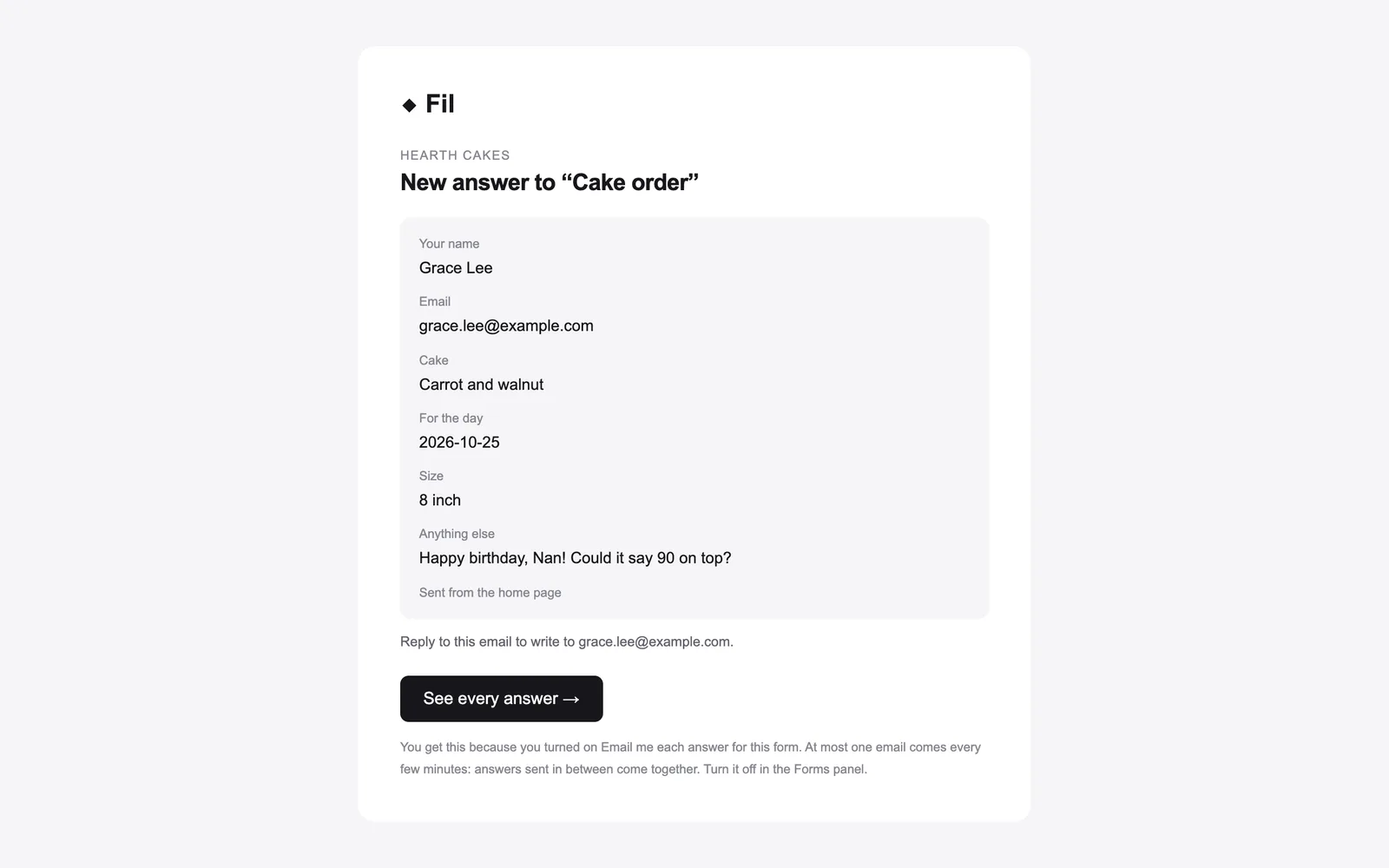
To stop them, turn the switch off in the panel.
Read answers with an agent
An agent connected to Fil reads a site's answers with the get_answers tool: each form's questions with every choice counted and the words people wrote, then its newest 50 answers, or up to 500. Ask it something like "what did people say about the price in the Hearth survey?". See MCP tools.
Who sees the answers
- Only people who can edit the site see its answers: you, and anyone who can edit its canvas. People who can only view the canvas don't.
- No address or other technical data is kept with an answer. Fil counts a visitor with the same daily anonymous number as analytics, and turns bots away.
- On a site with a Password, visitors send its forms once they're in.
Limits
| Up to | |
|---|---|
| Answers from one visitor | 20 an hour |
| Answers to one site | 2,000 a day |
| Answers kept for one site | 50,000 |
| Questions in one answer | 80 |
| One typed answer | 5,000 characters |
Past a limit, the form says "Too many sent from here. Try again later." and keeps nothing more until there's room; deleting answers makes room. Forms and answers are free on every plan.
What's next
- Survey: a finished survey in one of ten styles, its answers kept here.
- Publish a website: the address, a password, updates and visitors.
- Dynamic websites with data: the site's content, which you change as in a CMS.
- MCP tools: every tool an agent has,
get_answersamong them.