Code generation
Generate web pages, components, slides, articles, SVG, Three.js scenes and more with Claude, GPT, Gemini and others, then preview and revise them.
The Code view writes a file from a prompt: a web page, a single component, a slide deck, an article, an SVG drawing, a Three.js scene, a looping animation and more. Pick what it makes, describe it and press Generate: the file appears in your feed as a picture of the page, and opens to run, edit in Design, or change with another prompt.
Generate a web page from a prompt
- Click Code in the sidebar, or press O anywhere outside a text field or a canvas.
- Check the chips under the prompt box: the model, What it makes (Website to start) and the effort. The price beside Generate is a range, such as "5–49 credits" (see below).
- Describe the page: who it's for, its sections, the content and the look ("a launch page for a ceramics studio with a booking form").
- Press Generate, or Enter. The run shows "Usually 1–3 minutes" and keeps going if you leave.
- The page lands at the top of the feed as a picture of its first screen, and the panel on the right previews it at desktop size. Hover its tile and click View full size to open it in the full view.
The full view runs the page, so links, forms, slides and scenes work. Its Design tab edits every layer, as in Figma (see The Design tab), and Download saves it.
What Code makes
Open What it makes, the second chip, to pick a format. Each line says what you'll get.
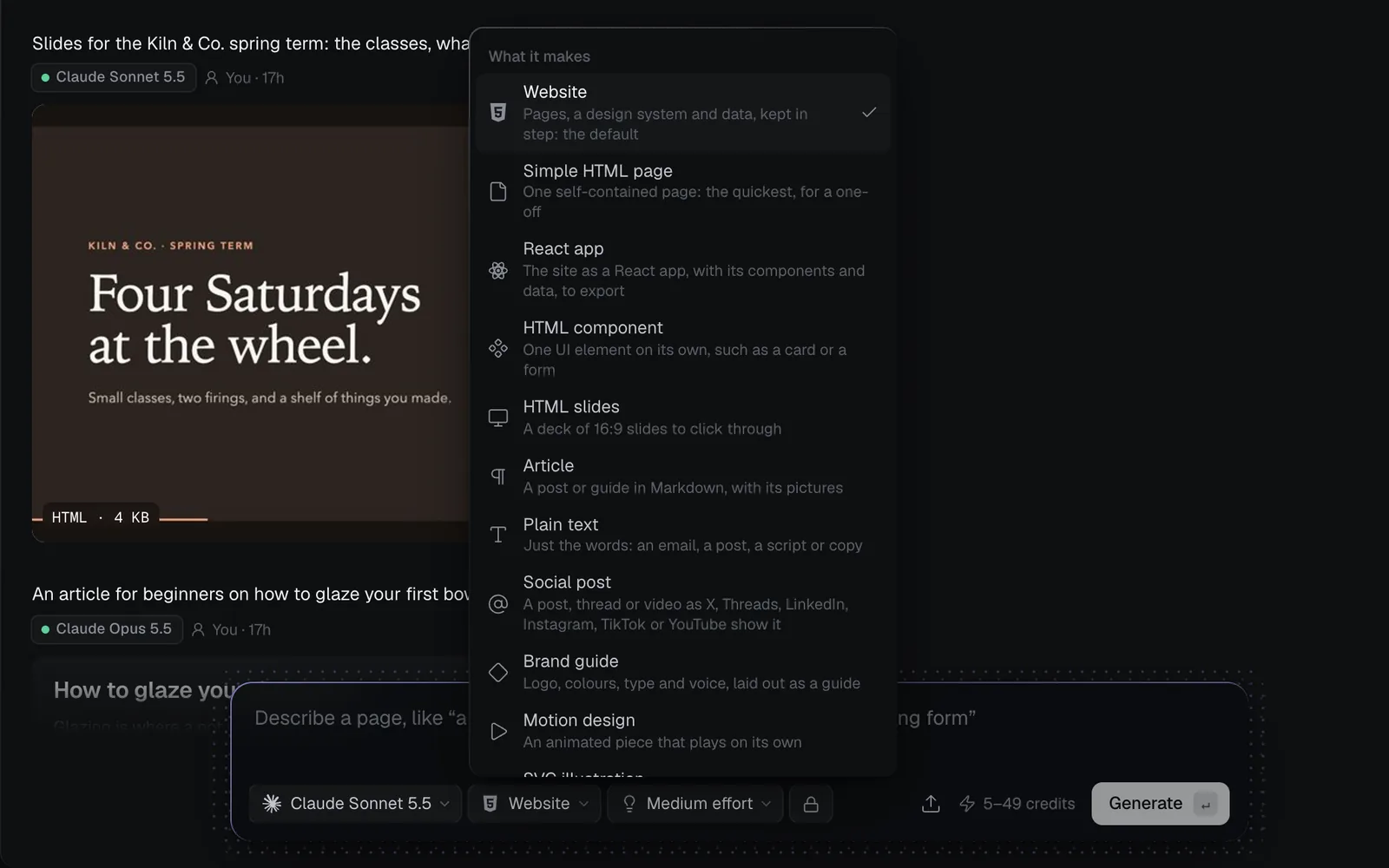
| Format | What you get |
|---|---|
| Website | Pages, a design system and data, kept in step: the default. See Build a website |
| Simple HTML page | One self-contained page, the quickest. See Simple HTML pages |
| React app | The site as a React app with its components and data, to export. See React apps |
| HTML component | One UI element on its own, such as a card, a form or a pricing table |
| HTML slides | A deck of 16:9 slides to click through, 6 to 12 unless you ask |
| Article | A post or guide in Markdown, with its pictures |
| Plain text | Just the words: an email, a caption, a script, a bio |
| Social post | A post, thread or video as X, Threads, LinkedIn, Instagram, TikTok or YouTube show it. See Social posts |
| Brand guide | Logo, colours, type and voice, laid out as a guide |
| Motion design | An animated piece that plays and loops on its own |
| SVG illustration | A vector drawing, kept as an image |
| Three.js scene | A real-time 3D scene you can turn and zoom |
| Skill (SKILL.md) | A SKILL.md written from the flow before it, on a canvas. See Prompts, documents and skills |
| Design system | Colours, type and components pages share. See Design systems |
| Site data | The content pages show, as a CMS. See Dynamic websites |
| Calendar | Deadlines, launches and invoices on a month, from your documents |
| Tasks | A checklist or board to tick, from your documents |
In the Code view a Website is made as one page. On a canvas it becomes a whole site: its pages, the design system they share and their data, each a node of its own (see Websites in Fil).
Choose a model and effort
The first chip is the model. Every code model writes every format, takes up to 8 reference pictures and up to 2 pages to revise. The Code view opens on the code model you used last; without one it starts on Claude Sonnet 5.5 at Medium effort.
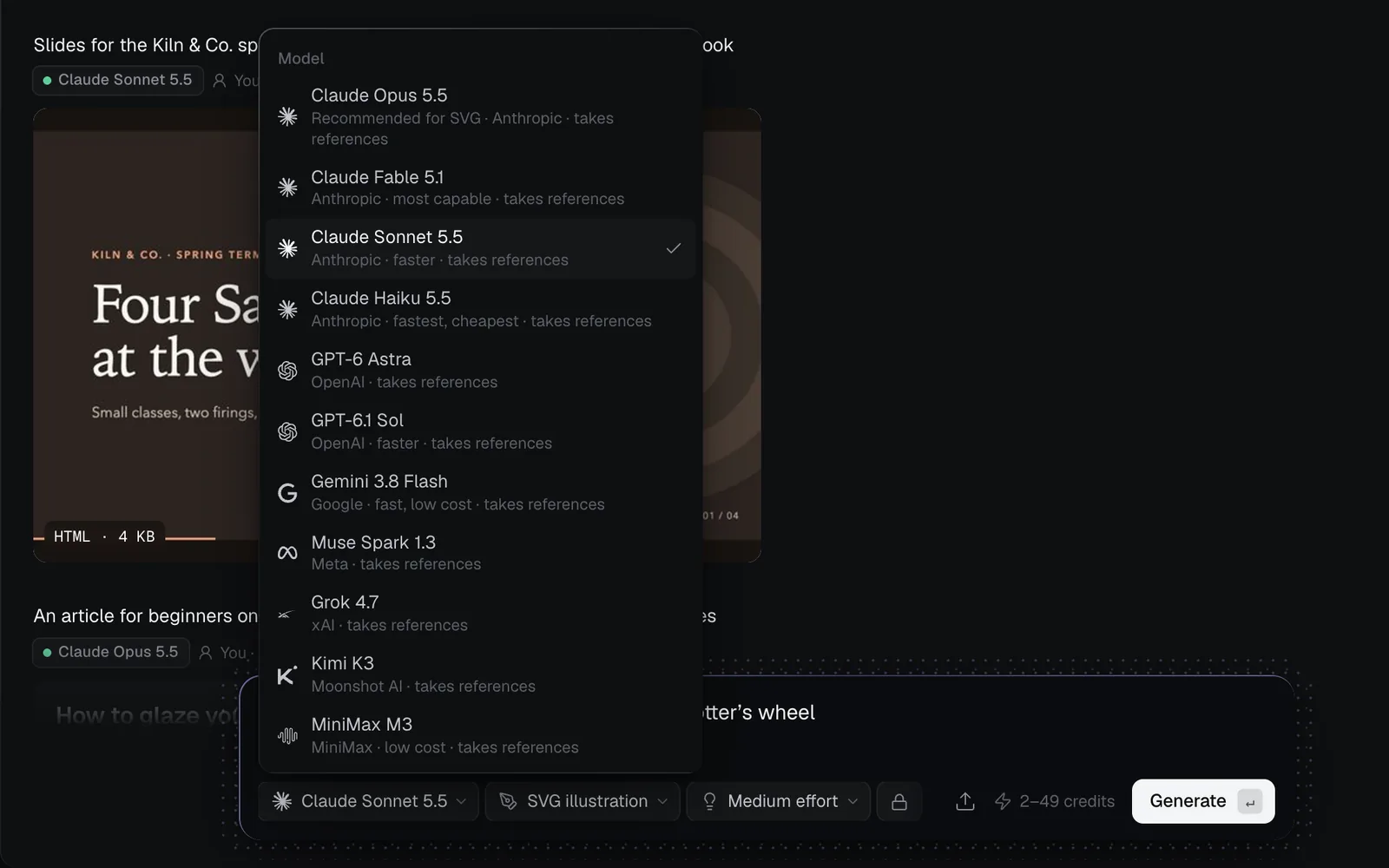
Which to pick:
- Most pages: Claude Sonnet 5.5, the default: fast and good.
- SVG drawings and Three.js scenes: Claude Opus 5.5 at Extra high effort. The menus mark it "Recommended for SVG" or "Recommended for Three.js"; on a canvas, picking either format moves the node to it.
- The hardest pages: Claude Fable 5.1, Anthropic's most capable, or Claude Opus 5.5 at a higher effort.
- Cheap drafts and plain text: Claude Haiku 5.5, Gemini 3.8 Flash or MiniMax M3.
| Model | Credits | Maker |
|---|---|---|
| Claude Sonnet 5.5 | 5–49 | Anthropic: faster |
| Claude Opus 5.5 | 9–98 | Anthropic |
| Claude Fable 5.1 | 22–243 | Anthropic: most capable |
| Claude Haiku 5.5 | 1–3 | Anthropic: fastest, cheapest |
| GPT-6 Astra | 22–243 | OpenAI |
| GPT-6.1 Sol | 5–49 | OpenAI: faster |
| Gemini 3.8 Flash | 2–19 | Google: fast, low cost |
| Muse Spark 1.3 | 2–21 | Meta |
| Grok 4.7 | 3–30 | xAI |
| Kimi K3 | 7–97 | Moonshot AI |
| MiniMax M3 | 1–6 | MiniMax: low cost |
Credits are what the chip shows for a new website before you type, at each model's default effort (Medium; High on Kimi K3). A long prompt, documents or pictures raise both ends a little.
Effort
The Effort chip sets how hard the model thinks, and the most it may write. More effort takes longer and raises the top of the price range: Claude Sonnet 5.5 holds 33, 49, 65, 97 or 129 credits.
| Effort | Menu says |
|---|---|
| Low | Quickest and cheapest, for simple pages |
| Medium | Balanced, for most pages: the default |
| High | Thorough, for detailed pages |
| Extra high | Thinks longer, for complex pages |
| Max | Thinks the longest, costs the most |
Gemini 3.8 Flash goes up to High, Grok 4.7 to Extra high, and Kimi K3 offers Low, High and Max. MiniMax M3 always thinks at full depth, so it has no effort chip. If a run stops with "The page was too long to finish at this effort", choose a higher effort or ask for less.
Change a page with a prompt
Any page can be revised: select it, say what to change, and a new version arrives as its own run, the old one kept.
- Hover the page in the Code view and click Turn to…, then Turn to Code. (Or select it and click Turn to Code in the panel.) It's attached above the prompt as Revising 1 page.
- Keep What it makes on the page's own format.
- Describe the change ("Describe what to change in the page") and press Generate.
A revision of one page writes only its edits, a few hundred tokens instead of the whole page, so it costs less: the price shows from 2 credits, and the run is charged for what it wrote. GPT-6 Astra and GPT-6.1 Sol write the whole page again. You can attach up to two pages; with two, the page is written whole. For changes by hand, open the page in Design; to ask an agent who can also make pictures, see Edit with the agent.
When a file has earlier versions, the full view's top bar shows N versions: pick one to look at it, and Restore saves it as a new version, so nothing is lost.
Make code on a canvas
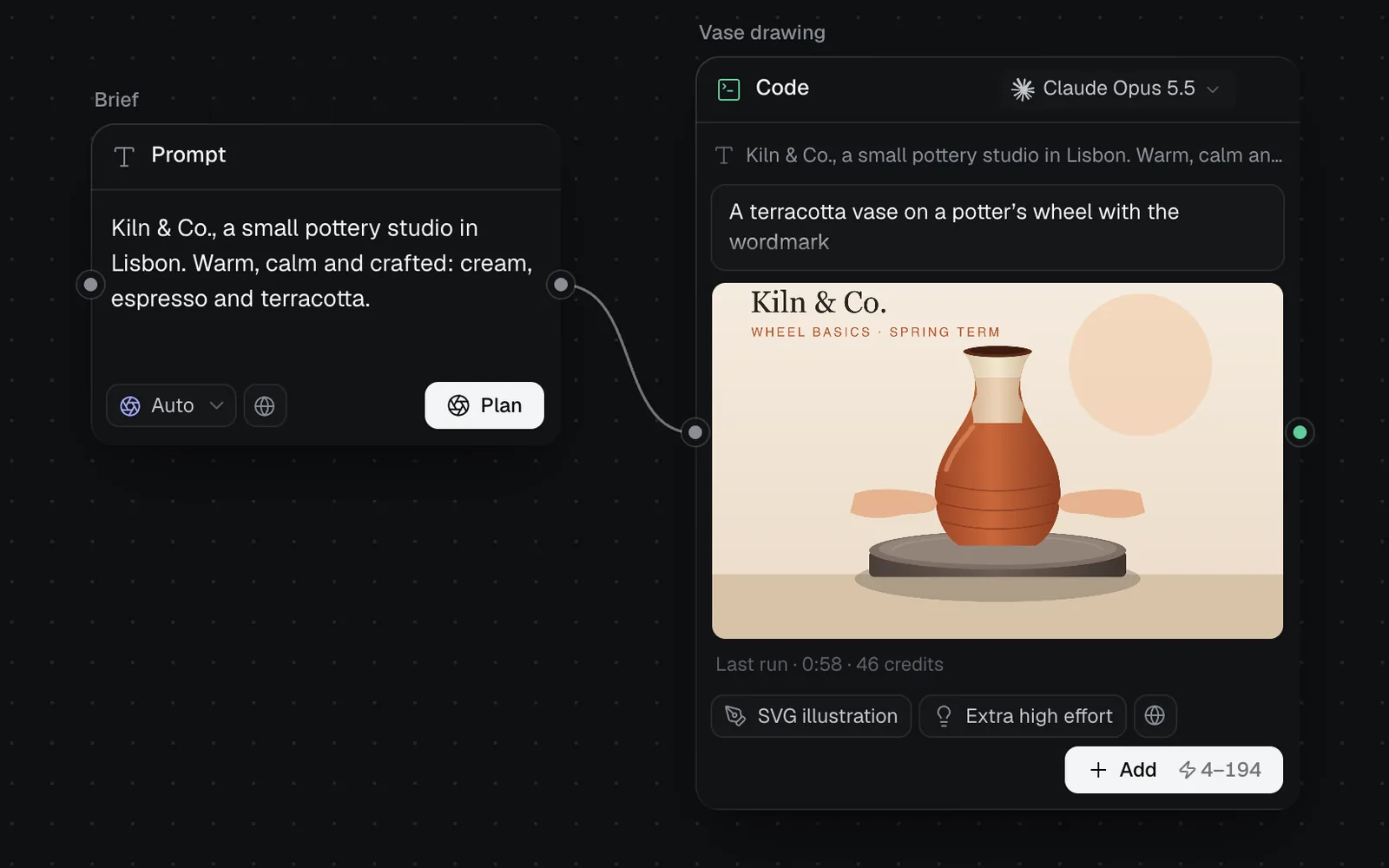
On a canvas, a Code node does the same and reads more: wire in prompts, documents (read whole, up to 60,000 characters), up to 8 pictures and up to 2 pages. Add one with the code button in the toolbar at the bottom (or press 5 on the canvas) and press Generate on the node.
- Before a canvas run starts, Claude Sonnet 5.5 reviews it. For a Website, Simple HTML page or React app it can offer a page design to follow and pictures for its sections, made first; pick an option, or Generate as is. Skills, social posts, calendars and task lists aren't reviewed.
- Once a Website, Simple HTML page or React app is made, the node's button becomes Edit with agent, which opens it in Design with the agent ready.
- A Design system, Site data, Calendar, Tasks or Social post node keeps one file: type in the box above its button ("What should change in the calendar?") and press Edit to change it in place.
- Other formats keep every take: Add makes another beside the first, and the one you pick is what feeds the next node.
- Turn into skill in the panel writes a SKILL.md from the whole flow that made a result, so you can make work like it again.
- A Calendar or Tasks node reads the documents wired into it and lists every dated item or follow-up. Ticking a task or marking an event done is free and saved as a new version.
Download, upload and share
- Download in the panel or the full view saves a page as one HTML file with its pictures inside. Articles save as Markdown, plain text as TXT, an SVG as SVG; on a canvas, a React app's link reads Download project (a Vite project, as a zip).
- To bring a page of your own in, use the upload button beside the price (its tooltip reads Upload HTML), or drop the file on the feed. Then Turn to Code revises it like any other.
- Pages stay in your library: Community doesn't show them, so the lock chip in the Code view can't be switched. To put a site on the web, see Publish a website; to take the code elsewhere, Export, download and GitHub.
Costs and limits
- Longer prompts, documents, pictures and pages to revise raise both ends of the range; a higher effort raises the top.
- A run that fails is refunded in full. Only GPT-6 Astra and GPT-6.1 Sol runs can be stopped once started, with the stop button beside the prompt in the feed (its tooltip reads Cancel); a stopped run is charged for what it wrote. Other models say "This provider cannot cancel a submitted run. It will finish and settle normally."
- Without enough credits, Generate says so: "This run needs 49 credits; you have 20."
- A prompt can be up to 4,000 characters. Three.js scenes build every model from code, so they can't load 3D files; for a model you can download, see 3D generation.
What's next
- Websites in Fil: sites, simple pages and React apps, and how they differ.
- The Design tab: edit any page layer by layer, or with the agent.
- Social posts: posts and threads as each platform shows them.
- Publish a website: put a page or a site on the web.