Character gear skill
Designs a gear set and fits it to a game character in several body types, as clean A-pose turnarounds that image-to-3D models turn into riggable characters wearing their gear. Use for armour sets, outfits, loadouts and equipment shown on different builds.
A SKILL.md for Claude Code, Codex and any agent that reads skills. It’s the craft behind Fil’s Character gear workflow, written out so your agent can follow it too.
Install it
Unzip it into your agent’s skills folder. The agent reads its name and description, and the rest only when a task needs it.
curl -fsSL https://fil.design/skills/character-gear.zip -o /tmp/character-gear.zip && unzip -o /tmp/character-gear.zip -d ~/.claude/skillscurl -fsSL https://fil.design/skills/character-gear.zip -o /tmp/character-gear.zip && unzip -o /tmp/character-gear.zip -d ~/.codex/skillsInstall the Character gear skill from https://fil.design/skills/character-gear: unzip https://fil.design/skills/character-gear.zip into your skills folder (~/.claude/skills for Claude Code, ~/.codex/skills for Codex), then read its SKILL.md.The skill
Read first
- Character.md: who they are, their look, the base layer under the gear, their three builds and the style.
- Gear.md: every piece of the set, where it's worn and what it's made of. Draw exactly these pieces, no more.
- Concept art or a gear reference wired in: keep its design. A style reference lends only its look.
Turnarounds (16:9, for 3D)
Every turnaround follows the same rules, so the builds line up and image-to-3D models read every side:
- Exactly three full-body views of the same character side by side, left to right: front, side profile and back, at the same scale in a relaxed A-pose (arms 30 to 45° from the body with clear background under them, legs slightly apart, empty hands, head straight), standing on one shared baseline, evenly spaced, each whole from top to bottom.
- A plain light grey background, soft even light and no cast shadows. Nothing else on the sheet: no close-ups, swatches, text or labels.
- Face, hair, skin and colours identical in every view and in every turnaround.
Base body
The first build from Character.md in its base layer only, with no gear, so the body's shape reads clearly: close-fitting clothes in one or two calm colours and the hair as it will be worn.
Gear sheet (16:9)
- Every piece from Gear.md laid out apart on the same light grey, each whole and facing front, from head to feet left to right, the weapon last.
- At sizes true to each other, as if worn by one person: a helmet beside the gauntlets reads at its real size.
- Shown empty, as objects: no body, mannequin or hands; the materials and colours from Gear.md; no text, numbers or labels.
Wearing the gear
- The base body from its turnaround with every piece from the gear sheet on it in its place, matching the sheet's design, colours, materials and count.
- Gear sits on the body: armour follows the body's shape with a thin, even gap, straps wrap the limbs, pauldrons rest on the shoulders, and nothing floats or cuts through.
- A weapon is sheathed or slung flat against the back or hip and a shield hangs flat on the back, so the hands stay empty.
Another build
- The character wearing the gear, redrawn in the build its prompt names: only the body changes, and the change is plain at a glance. A heavy build is clearly wider through the chest, waist and limbs; a lean one clearly narrower, with thin arms and legs; a tall one stands clearly taller over the shared baseline, with longer legs and arms.
- Redraw the body first, then refit every piece to it, like a broader breastplate on a heavy chest or longer greaves on long legs. Each piece keeps its design, colours, materials, count and place.
- The same face, hair, pose and views as the geared turnaround, so the builds compare side by side.
Gear that models and rigs well
Solid, closed pieces that hug the body. Thin parts (straps, chains, crests) a little thicker than in life. A cape or tabard short enough to clear the legs, since loose cloth can't bend with a rig.
Avoid
Gear floating off the body, pieces that change between views or builds, pieces that aren't in Gear.md, dynamic poses, scenery and text.
What it reads
It was written for Fil’s Character gear workflow, which wires these into every step. Elsewhere, give your agent the same, or let it ask.
- Character.mdWho they are, their look and their three buildsBrief
- Gear.mdEvery piece of the set and what it’s made ofBrief
- Concept artA drawing of your character, if you have one.Optional
- Gear referenceArmour, a weapon or an outfit whose design you want.Optional
- Style referenceArt from a game whose look you want.Optional
Questions
What does the Character gear skill do?
Designs a gear set and fits it to a game character in several body types, as clean A-pose turnarounds that image-to-3D models turn into riggable characters wearing their gear. Use for armour sets, outfits, loadouts and equipment shown on different builds.
How do I install it in Claude Code?
Download https://fil.design/skills/character-gear.zip and unzip it into ~/.claude/skills, or into a project’s .claude/skills folder, or run the command on this page. Claude Code reads the skill’s description and loads the rest when a request needs it.
Does it work in Codex and other agents?
Yes. Unzip it into ~/.codex/skills for Codex. It’s one SKILL.md file, so any agent that reads skills can use it, and you can paste it into a chat as well.
Do I need Fil to use it?
No. It was written for Fil’s Character gear workflow, which wires in Character.md, Gear.md, Concept art, Gear reference and Style reference: give your agent the same, or let it ask. In Fil, the workflow runs it with the best models and shows the price before anything runs.
Is it free?
Yes. The skill is free to download.
More skills
 3D-ready conceptDraws objects as clean, model-ready concepts and turnarounds, so an image-to-3D model reads their shape correctly. Use…From the 3D asset workflow
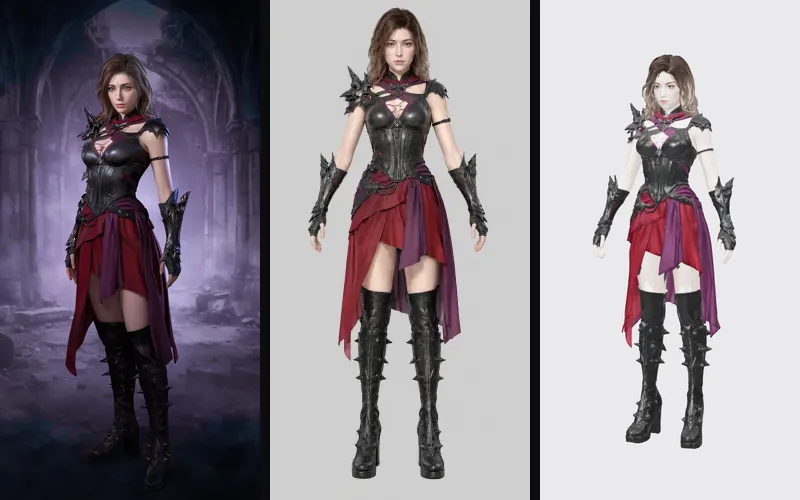 Game characterDesigns a game character as a full-figure concept and a clean A-pose model sheet that image-to-3D models turn into a…From the Game character workflow
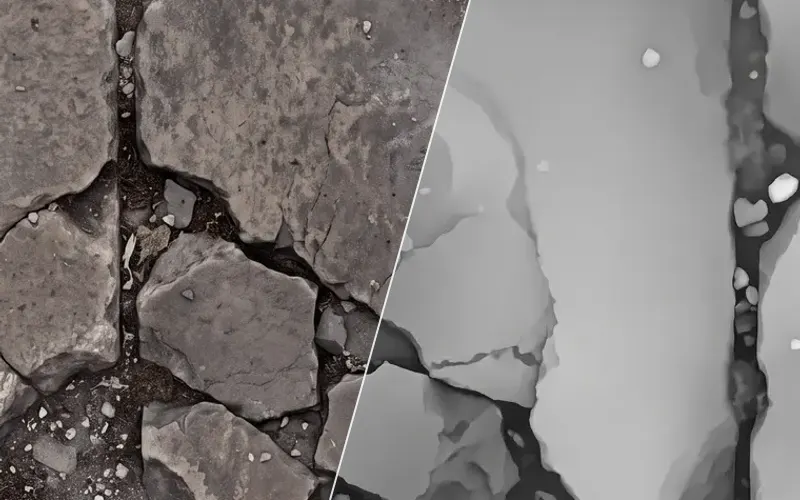 Material maps to a Three.js sceneMakes a seamless PBR material from one surface (base colour, height and roughness maps, and a normal map built from the…From the Material maps to Three.js workflow