Explainer video maker
A one-minute explainer of your product, feature or idea, in your own look: a script, a voice, HTML scenes drawn to every word, and an edit with captions, music and sound. No filming, unless you want to be in it.
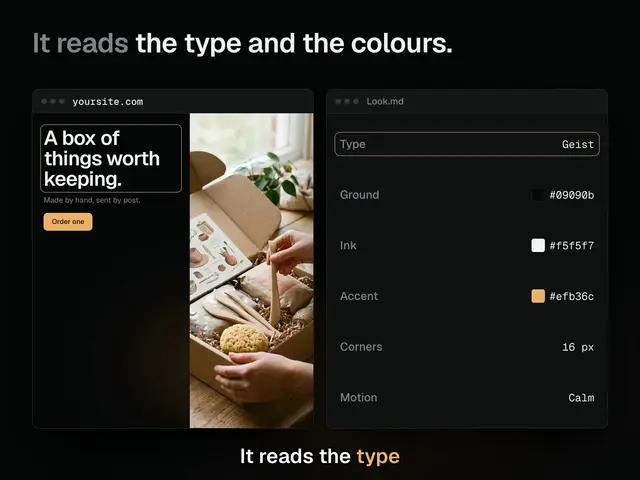
Say what to explain and drop in your logo and a picture of your site. Claude writes Explainer.md (the one idea and the facts the film may state), Look.md (your type, colours, corners and motion) and Script.md (a hook, a benefit, a quick tutorial and an ask, with the word each move lands on). The voiceover reads the lines, Claude Opus draws each part as HTML scenes in your look with the HTML Explainer Video skill, every move on its word, and the Video edit puts them together with captions, music, sound effects and chapters. There’s no camera by default: the scenes fill the frame. To be in it, set Camera to on in Explainer.md: the scenes keep a corner clear, the edit gets camera slots, and Script.md is your teleprompter. An agent with the skill does it all over MCP, and can read your site’s look itself.
Start this workflowWhat it makes
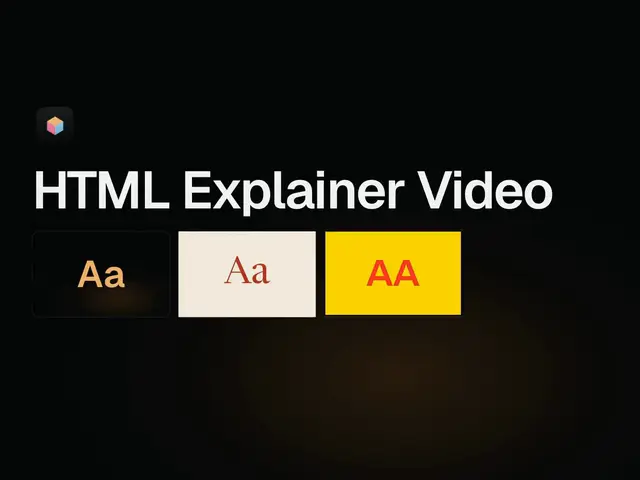
Also makesVoiceover
6 things in 2 steps. Every example here was made in Fil with this workflow; point at a clip to play it.
Watch the filmsOne script and one set of scenes, in four looks and four shapes.Made with this workflow
Shared on Fil Community by the people who made them.
How it starts
- Say what you want“Explain how Fil’s Workflows turn one idea into a finished film, in one minute, in the look of fil.design, for people who’ve never made a video”, or a picture. Nothing to upload first.
- Pick from a few choicesClaude asks about what to explain, its look (your site, or a style), and what people should do after watching, and tells you if a file is missing.
- Generate allVoiceover, Hook, Benefit, Quick tutorial and Try it first, then each next step as soon as what it needs is ready.
What you put in
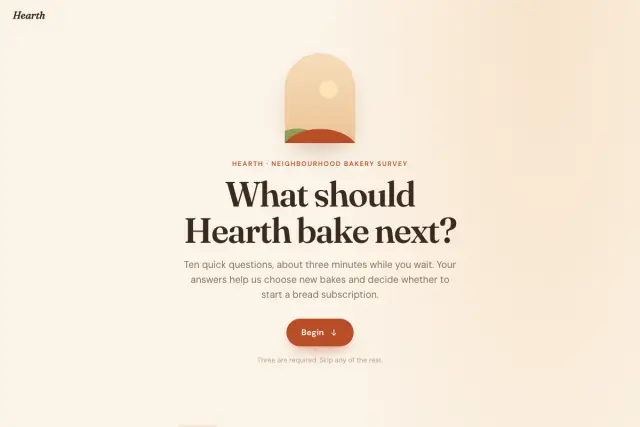 Site pictureA screenshot of your site or brand, for its look: its type, colours, corners and edges. Never shown as it is. Like this one.Optional
- LogoYour real logo, as a file. It’s shown as it is, never redrawn.Optional
 Picture 1A real picture to show: your product, a screen, something it made. Like this one.Optional
- Picture 2Another real picture to show.Optional
- Your takesOnly with the camera on: what you recorded reading Script.md.Optional
- Explainer.mdWhat it explains, and the facts it may state. Claude fills it in from your answers, or you can.Brief
- Look.mdThe look, from your site or a named style. Claude fills it in from your answers, or you can.Brief
- Script.mdThe four parts, line by line. Claude fills it in from your answers, or you can.Brief
Nothing has to be uploaded to start: the canvas opens with a place for each file, ready when you are.
How it runs
Generate all runs it left to right: each step starts as soon as what feeds it is ready, and you see the whole price first. Or run any step yourself.
Step by step on the canvas
- Check Script.md: about 150 words a minute, each line with what the picture does. Then generate Voiceover, which reads its lines word for word.
- Generate Hook, Benefit, Quick tutorial and Try it: HTML scenes in your look, each move on its word. The hook’s first frame is the film’s cover.
- Open Explainer to put it together: the scenes in order, the voiceover, captions in your look, music, sound effects and the four parts as chapters. An agent with the HTML Explainer Video skill does it over MCP, each scene timed to the voice’s real words.
- Only if you set the camera on: press Record on the camera slots with Script.md as your teleprompter, then drop the takes into Your takes.
Skill
The craft every step follows, written out. It comes with the workflow, and you can change it on the canvas.
Read the skill
HTML explainer video
Read first
Explainer.md: what it is, the one idea, who it's for, the facts the film may state, the ask, the shape and whether the camera's on. Look.md: type, colours, corners, edges, window chrome and motion. Script.md: each line, what the picture does and the word it lands on. A picture of their site wired in is the look: take its look, never show it. Their logo and pictures wired in are shown as they are, by their addresses, never enlarged past their real pixels. This skill wins over the usual way of making motion design.
The mechanism
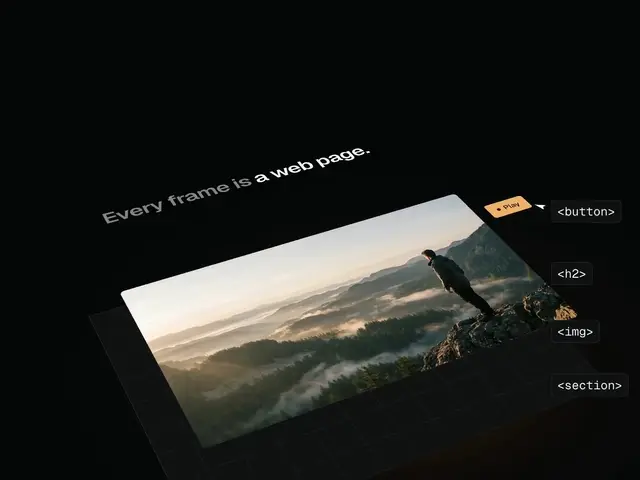
Every frame is a pure function of one number: a scene's draw(t, $, f) sets everything from t, the film's seconds, and every time is a word of the voice (T.clock is when it says "clock"). Nothing on the stage keeps its own time: no CSS animations or transitions, no timers, no Math.random. The look and the shape come from outside, so a scene names no colour, no font and no position that only one shape would want.
A scene page
One HTML file for each part of the film, on Fil's explainer kit: ``html <!doctype html> <html data-look="brand"><head><meta charset="utf-8"><meta name="fil:duration" content="9.6"> <link rel="stylesheet" href="https://fonts.googleapis.com/css2?family=Newsreader:opsz,wght@6..72,400&display=block"> <link rel="stylesheet" href="https://fil.design/kits/html-explainer/1.css"> <style>[data-look='brand'] { --x-ground:#f3ecdf; --x-panel:#fbf7ee; --x-panel-2:#efe7d7; --x-ink:#1d1a15; --x-dim:#8d8472; --x-line:rgba(29,26,21,.18); --x-accent:#b5381f; --x-accent-ink:#fbf7ee; --x-ring:#b5381f; --x-head-font:'Newsreader',serif; --x-head-weight:400; --x-head-size:70px; --x-head-track:-.018em; --x-hero-size:136px; --x-body-font:'Newsreader',serif; --x-label-font:'Newsreader',serif; --x-radius:2px; --x-radius-s:2px; --x-edge:1px; --x-shadow:none; --x-bar:#fbf7ee; --x-lights:none; --x-motion:fade; --x-motion-dur:.8; } .cards { display:grid; grid-template-columns:repeat(3,1fr); gap:28px; height:100%; } [data-form='tall'] .cards { grid-template-columns:1fr; }</style> </head><body><div id="stage"> <section class="x-scene" id="s1"><div class="x-ground"></div> <h2 class="x-head"><span class="x-lead">One.</span> Say what to explain.</h2> <div class="x-pic"><div class="x-win cards">…</div></div> </section> </div> <script src="https://fil.design/kits/html-explainer/1.js"></script> <script> const { film, times, draft, show, ring, view, pointer, typed, ease, fit } = HTMLExplainer; const WORDS = draft("One. Say what to explain."); // this part's own words, as said const T = times(WORDS); const END = T.end + 0.4; film({ shape: '4:3', words: WORDS, end: END, loop: false, scenes: [{ id: 's1', from: 0, to: END, draw(t, $, f) { show($('.x-head'), t, T.one); show($('#card'), t, T.say); ring($('#send'), t, T.explain); } }] }); </script></body></html> ``
- film({ shape, words, end, scenes, loop: false }): shape '4:3', '16:9', '1:1' or '9:16', as Explainer.md says; each scene { id, from, to, tone, setup($, f), draw(t, $, f) } has its section; $ finds inside it; f is the frame's regions.
- draft(text) times the words from their letters and punctuation; times(WORDS) names each one: T.clock, T.clockEnd, a word said again T.look2, T.end the last word's end. Use the names, never seconds. fil:duration is END, worked out by hand from about 2.6 words a second.
- show(el, t, at, leave): brings it in on its word and out by the look's motion (--x-motion rise, fade, snap or wipe). The scene says when; the look says how. ring(el, t, at, leave): a highlight that fits: a thin line with 4 to 6 px of even clear space, never a band. view(el, t, [[from, to, { x, y, s }]]): a calm move over a window. pointer(el, t, path, clicks): aims at selectors; arrives 0.3 to 0.6 s before a click, presses 0.15 s. Also typed, ease, out, expo, back, mix, pulse, cue, blink, rnd, fit.
- Parts: x-head (a dim x-lead and a statement: one headline at a time, its leave plus 0.22 s at or before the next one's start), x-hero (the biggest type), x-pic (the picture's region, a size container: lay out inside with grid, flex and cq units), x-win with x-bar and x-lights (a window, its chrome from the look), x-label, x-mono, x-pointer.
- The regions come from the shape and the camera: never a fixed position for one shape. data-form on the html element ('classic', 'wide', 'square', 'tall') lets a layout turn: three across, three down on tall.
- Every value is a --x- variable: if a colour or a face isn't one, make it one.
The parts
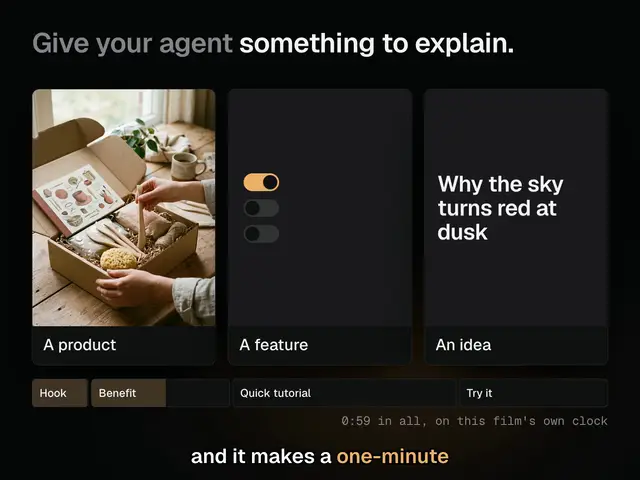
- Hook, 3 to 6 s. The first frame is the cover: at t = 0 the headline and the best picture are already drawn, no entrance. A set piece that fills the frame, something no screen recording could show.
- Benefit, 12 to 20 s. What they get, in their terms. Something changes on nearly every phrase, on its word.
- Quick tutorial, 22 to 30 s. Numbered headings, "One. Say what to explain.", three or four steps, the real thing drawn in HTML from the wired pictures, every label letter for letter.
- Try it, 6 to 14 s. One thing to do, the name and where to get it, the logo wired in. It holds about 2.4 s past the last word.
Only what Explainer.md lists may be said or shown. Calm camera: eased moves, never chasing. Hold on a result long enough to read it.
Sharp
Nothing is scaled above 1 under perspective or preserve-3d, because the browser draws it at its layout size and stretches it: lay it out at the size it's drawn and push it back in Z. A wired picture is never drawn wider than its own pixels. No blur on a picture; dim with opacity.
The camera
Off unless Explainer.md says on. Off: no slots, no corner kept, scenes fill the frame. On: film({ camera: true }) keeps the corner clear in every region, and the Video edit has camera slots.
The Video edit
- The scenes in order, with a dissolve of about 0.3 s where the look wants one; the voiceover on its own lane (sound: voice).
- Captions in the look: Fil's closest face, size about 39, the spoken word in the accent, one line, no more than 30 characters; none under big type that says the same words (a caption range at offset 400, never removed).
- Music at volume 0.12, under_voices 0.5, fading over 1.5 s. Sound effects about one a second, on presses and arrivals, at volume 0.06 to 0.2, never more than two in 150 ms.
- The four parts as chapters: Hook, Benefit, Quick tutorial, Try it.
- With the camera on: two camera slots of about 30 s, hidden in the hook, full frame for the benefit's first line with a see-through title, then the corner, full frame again for the ask. Script.md is the teleprompter.
Avoid
A claim Explainer.md doesn't list, a word of UI that isn't theirs, a drawn or approximated logo, a stock or generated person, the kit's default colours when there's a look, a fixed colour or font in a scene, a position that only works in one shape, an empty frame at t = 0, two headlines at once, a band for a highlight, a picture enlarged past its pixels, anything that moves outside draw(t).
Wired into 5 steps on the canvas, where you can change it.
Questions
What does the HTML explainer video workflow make?
Voiceover, Hook, Benefit, Quick tutorial, Try it and Explainer, in 2 steps. A one-minute explainer of your product, feature or idea, in your own look: a script, a voice, HTML scenes drawn to every word, and an edit with captions, music and sound. No filming, unless you want to be in it.
How do I start it?
Say what you want, for example “Explain how Fil’s Workflows turn one idea into a finished film, in one minute, in the look of fil.design, for people who’ve never made a video”. Claude asks about what to explain, its look (your site, or a style), and what people should do after watching, fills in the briefs, and Generate all runs each step as soon as what it needs is ready. Nothing runs until you’ve seen the price.
How long does it take, and what does it cost?
About 20 minutes, and about 25–800 credits to make it all. You see the price before anything runs, and failed runs are refunded.
What do I need to bring?
Nothing has to be uploaded to start. The canvas has a place for site picture, logo, picture 1, picture 2 and your takes, all optional.
Can I use its skill with my own agent?
Yes. The skill it’s built on is free for Claude Code, Codex and Cursor, with its scripts and a demo, at https://fil.design/skills/html-explainer-video.
Do I need an invite?
Fil is invite-only for now. Without an invite, Start this workflow opens the waitlist.
More workflows
 Story videoA character sheet, keyframes, shots and a score, ready to cut together.About 10 minutes
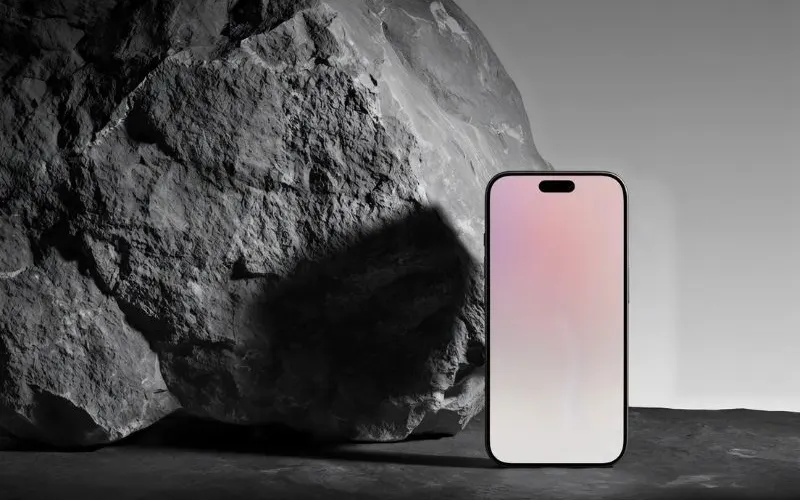 Product promo videoYour product photo becomes stills, clips, an end card and music to cut together.About 8 minutes
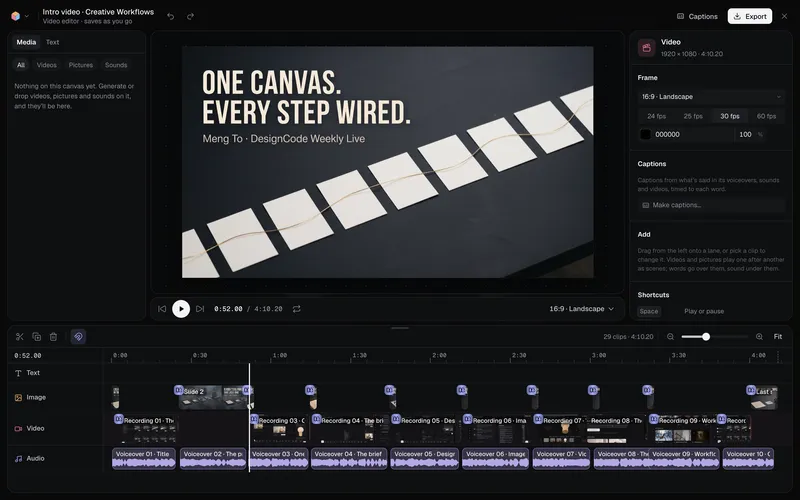 Long-form product videoA product demo, explainer or webinar intro planned chapter by chapter, with a picture and a voiceover for each, put together in the video editor.About 6 minutes
All 42 workflows · Videos people made in Fil · Every video model