HTML Explainer Video, a skill for Claude Code, Codex and Cursor
A skill for Claude Code, Codex and Cursor: turn a product, a feature or an idea into a one-minute explainer film in your own look, its script and voice written for you, every scene HTML drawn from the voice’s words and cut in Fil’s video editor. Any look, any shape, and no camera unless you want to be in it.
Install it
Claude Code:
curl -fsSL https://fil.design/skills/html-explainer-video.zip -o /tmp/html-explainer-video.zip && unzip -o /tmp/html-explainer-video.zip -d ~/.claude/skillsCodex:
curl -fsSL https://fil.design/skills/html-explainer-video.zip -o /tmp/html-explainer-video.zip && unzip -o /tmp/html-explainer-video.zip -d ~/.codex/skillsGitHub:
npx degit MengTo/Skills/agent-skills/media/html-explainer-video ~/.claude/skills/html-explainer-videoOr make one in Fil with its workflow: https://fil.design/workflows/html-explainer-video. Fil is invite-only for now: join the waitlist at https://fil.design/waitlist.
Or tell your agent:
Install the HTML Explainer Video skill from https://fil.design/skills/html-explainer-video: unzip https://fil.design/skills/html-explainer-video.zip into your skills folder (~/.claude/skills for Claude Code, ~/.codex/skills for Codex), then read its SKILL.md.The skill’s folder: https://fil.design/skills/html-explainer-video.zip (zip), GitHub, and each file:
- https://fil.design/skills/html-explainer-video/SKILL.md: The mechanism, the three inputs, the workflow, the rules and the numbers
- https://fil.design/skills/html-explainer-video/references/format.md: The four parts, the script, the scene patterns, explaining an idea
- https://fil.design/skills/html-explainer-video/references/looks.md: Every look variable, reading or naming a look, worked looks, fonts
- https://fil.design/skills/html-explainer-video/references/camera.md: Turning the camera on: slots, keyframes, titles, the teleprompter
- https://fil.design/skills/html-explainer-video/references/fil-editor.md: Every command to assemble it in Fil’s video editor over MCP
- https://fil.design/skills/html-explainer-video/references/sound.md: The sounds, their sync points and levels, music, and listening
- https://fil.design/skills/html-explainer-video/references/checks.md: What to look at, what the checker can’t see, the blind judges
- https://fil.design/skills/html-explainer-video/scripts/explainer.js: The engine: film(), the word clock, regions, show(), ring(), pointer()
- https://fil.design/skills/html-explainer-video/scripts/explainer.css: The stage and its parts, every value a look’s variable
- https://fil.design/skills/html-explainer-video/scripts/render.mjs: Scenes to MP4, the whole film or stills, in any look and shape
- https://fil.design/skills/html-explainer-video/scripts/check-film.mjs: Enlarged pictures, soft 3D, overlaps, edges, the camera’s corner
- https://fil.design/skills/html-explainer-video/scripts/read-look.mjs: A site’s look, measured, as a block of variables
- https://fil.design/skills/html-explainer-video/scripts/words.py: The clock: from Fil’s captions list, or a free draft from the script
- https://fil.design/skills/html-explainer-video/scripts/sfx.mjs: The sound cues as placed, levelled takes, and the commands for Fil
- https://fil.design/skills/html-explainer-video/scripts/preview.mjs: The whole film with captions, voice, music and sound, locally
- https://fil.design/skills/html-explainer-video/sounds/kit.json: Every sound’s sync point and level, measured
- https://fil.design/skills/html-explainer-video/sounds/LICENSE.txt: earshot’s MIT licence: the sounds are from its launch kit
- https://fil.design/skills/html-explainer-video/sounds/click_1.mp3: A press
- https://fil.design/skills/html-explainer-video/sounds/click_2.mp3: A press
- https://fil.design/skills/html-explainer-video/sounds/key_1.mp3: A key
- https://fil.design/skills/html-explainer-video/sounds/key_2.mp3: A key
- https://fil.design/skills/html-explainer-video/sounds/key_3.mp3: A key
- https://fil.design/skills/html-explainer-video/sounds/key-return_1.mp3: Enter
- https://fil.design/skills/html-explainer-video/sounds/pop_1.mp3: A chip arriving
- https://fil.design/skills/html-explainer-video/sounds/pop_2.mp3: A chip arriving
- https://fil.design/skills/html-explainer-video/sounds/land_1.mp3: Something landing
- https://fil.design/skills/html-explainer-video/sounds/land_2.mp3: Something landing
- https://fil.design/skills/html-explainer-video/sounds/land-light_1.mp3: A light touch
- https://fil.design/skills/html-explainer-video/sounds/tick-crisp_1.mp3: A tick
- https://fil.design/skills/html-explainer-video/sounds/whoosh-short_1.mp3: A move
- https://fil.design/skills/html-explainer-video/sounds/whoosh-short_2.mp3: A move
- https://fil.design/skills/html-explainer-video/sounds/whoosh-long_1.mp3: A big reveal
- https://fil.design/skills/html-explainer-video/sounds/riser_1.mp3: Into a big moment
- https://fil.design/skills/html-explainer-video/sounds/swell_1.mp3: Into a big moment
- https://fil.design/skills/html-explainer-video/sounds/hit_1.mp3: A cut hit
- https://fil.design/skills/html-explainer-video/sounds/drop_1.mp3: A short kick-led hit
- https://fil.design/skills/html-explainer-video/sounds/click-confirm_1.mp3: A job finished
- https://fil.design/skills/html-explainer-video/sounds/snap_1.mp3: A shutter
- https://fil.design/skills/html-explainer-video/sounds/bell_A4.mp3: One accent
- https://fil.design/skills/html-explainer-video/sounds/bell_C5.mp3: One accent
- https://fil.design/skills/html-explainer-video/sounds/bell_E5.mp3: One accent
- https://fil.design/skills/html-explainer-video/demo/index.html: The skill’s own film, live, with switches for look, shape and camera
- https://fil.design/skills/html-explainer-video/demo/film.html: The film’s page: one section for each scene
- https://fil.design/skills/html-explainer-video/demo/film.js: Its scenes, drawn from t, with no colour or font named
- https://fil.design/skills/html-explainer-video/demo/film.css: Its layouts, from regions and variables
- https://fil.design/skills/html-explainer-video/demo/script.txt: The script
- https://fil.design/skills/html-explainer-video/demo/words.js: The voice’s words, for the page
- https://fil.design/skills/html-explainer-video/demo/words.json: The voice’s words, as scripts read them
- https://fil.design/skills/html-explainer-video/demo/voice.mp3: The voice
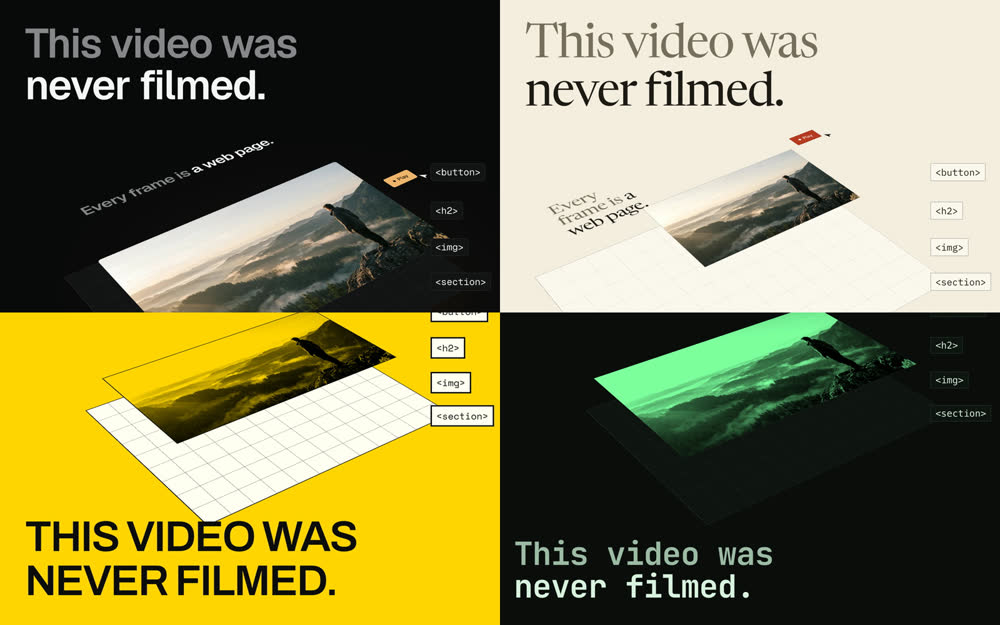
- https://fil.design/skills/html-explainer-video/demo/looks/night.css: Night: graphite, two-tone type, calm moves
- https://fil.design/skills/html-explainer-video/demo/looks/paper.css: Paper: warm stock, a serif, hairlines, slow fades
- https://fil.design/skills/html-explainer-video/demo/looks/poster.css: Poster: colour fields, heavy capitals, hard edges, snaps
- https://fil.design/skills/html-explainer-video/demo/looks/terminal.css: Terminal: read from a real page, its layout finished by hand
- https://fil.design/skills/html-explainer-video/demo/looks/terminal.md: What read-look.mjs measured for Terminal
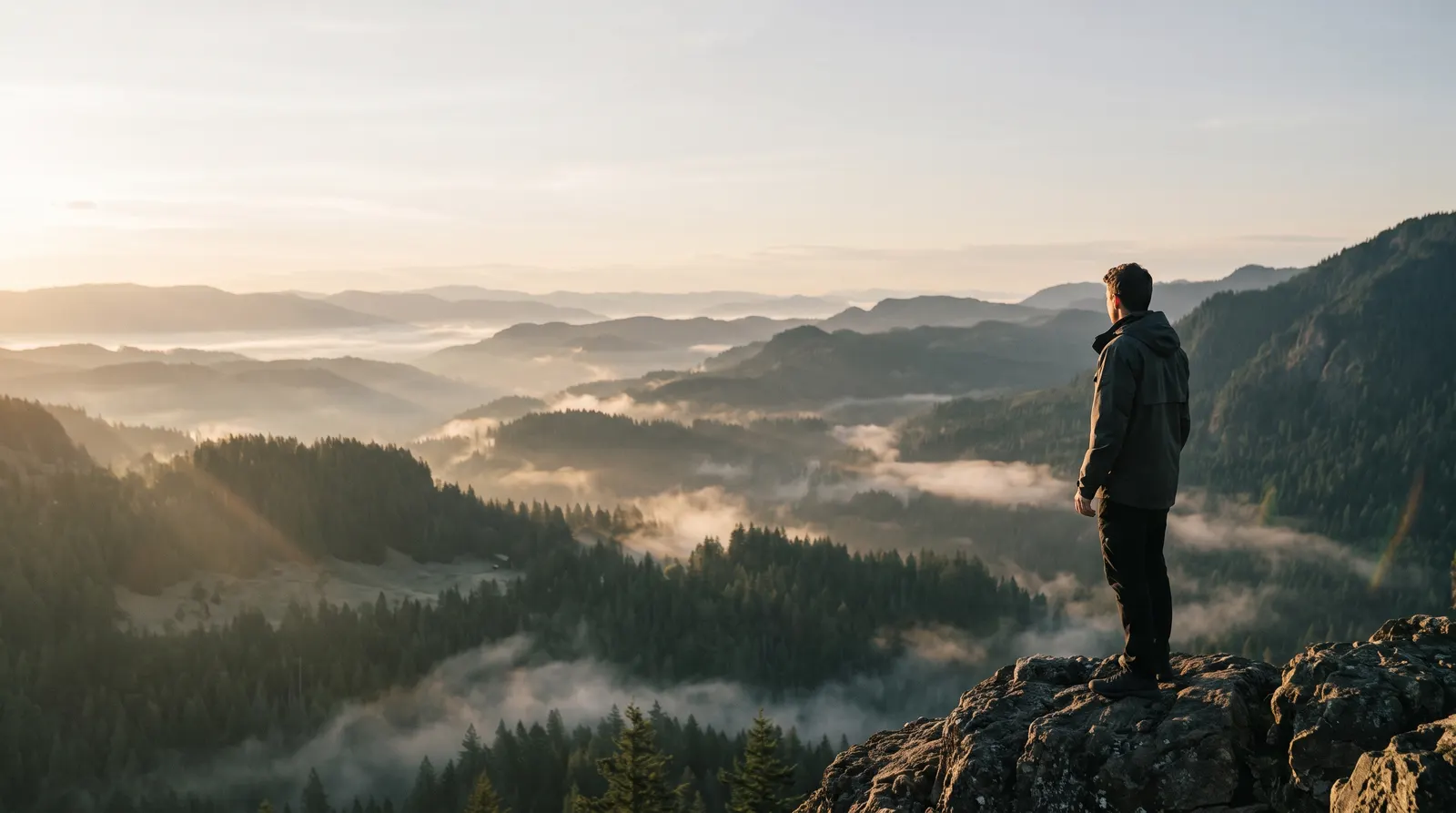
- https://fil.design/skills/html-explainer-video/demo/pictures/ridge.webp: A real picture for the film
- https://fil.design/skills/html-explainer-video/demo/pictures/box.webp: A real picture for the film
- https://fil.design/skills/html-explainer-video/demo/pictures/fil.png: Fil’s mark
- https://fil.design/skills/html-explainer-video/demo/PROMPT.md: Prompts to recreate and remix the film
- https://fil.design/skills/html-explainer-video/demo/preview.jpg: The film, still, in four looks
- https://fil.design/skills/html-explainer-video/agents/openai.yaml: Its name and prompt for Codex


SKILL.md
HTML scenes · Fil's video editor over MCP · Playwright · ffmpeg. A scene engine without a framework is in scripts/explainer.js.
An explainer is a voice with pictures cut to it. This skill writes the voice, then draws every picture in HTML from one number: the film's seconds. Each thing on screen lands on the word that names it, because its time is that word's time (T.clock is when the voice says "clock"). It looks like motion design and it's a web page, so its look, its shape and its camera are settings, not rebuilds.
Boundary. Use html-demo for a live app window on a web page (no video file). Use html-reel to turn an existing post, video or page into a 9:16 reel in that source's look. Use website-to-motion-design for a short piece with no voice. Use this skill when the deliverable is a finished explainer film, about one minute, that explains something.
Provenance. Extracted from seven one-minute onboarding films for Fil, 31 October to 1 November 2026. Each had a hook, a benefit, a quick tutorial with numbered headings and an ask, with scenes rendered at 2× and 60 fps and assembled in Fil's video editor. Those were locked to one dark look, one shape (4:3) and a camera slot, and built on Fil's own demo components. Here all three are inputs and nothing depends on Fil's components. The film in demo/ is this skill's own explainer, made with it: one script, in four looks and four shapes, with the camera off or on, and no change to a scene. The rules below are what those films cost to learn.
The mechanism
Every frame is a pure function of one number, and every time is a word. A scene sets everything from t, the film's seconds. HTMLExplainer.times(WORDS) names each word of the voice (T.clock, T.clockEnd, a word said again T.look2). A renderer calls window.__frame(t) once a frame and screenshots; nothing reads a clock.
// film.js: a scene. No colour, no font, no pixel of layout from the shape.
const T = times(window.WORDS);
const step3 = {
  id: 'step3', from: T.three - 0.12, tone: 3,
  draw(t, $, f) {
    show($('.x-head'), t, T.three);            // when; the look says how
    show($('#code'), t, T.clock);              // lands on the word "clock"
    ring($('#last'), t, T.word);               // a thin line, on "word"
    $('#code').textContent = `T.clock = ${T.clock.toFixed(2)}`;
  },
};
film({ words: window.WORDS, end: T.end + 2.4, scenes: [hook, step3, end] });Take that away and all of it breaks. A scene on CSS timelines or timers plays at its own pace, so a new voice means animating it again, and the cuts drift a few frames every time. A frame drawn from t is the same picture every run, so a re-render changes only what you changed.
The three inputs
None of these touches a scene. Read them from the person, or use the defaults.
| input | how it's set | default | what it changes |
|---|---|---|---|
| Look | <html data-look="…"> or ?look=, one block of --x- variables (references/looks.md) | read from their site, else ask for a style | type, colour, corners, edges, where the headline sits, window chrome, picture treatment, captions, and how things move |
| Shape | shape: or ?shape=: 4:3, 16:9, 1:1, 9:16 | where it'll be seen; 4:3 if nobody says | the stage (short side always 1080) and every region: --pic-x, --head-y… |
| Camera | camera: or ?camera=on | off | off: no slots, no kept corner, scenes fill the frame. On: references/camera.md |
show(el, t, at, leave) is why a look can move differently without a change to a scene: the scene says when, and --x-motion (rise, fade, snap, wipe) says how. A look's block of variables can sit on any element too, which is how the film shows three looks side by side.
Workflow
Ask at most one question before starting, and only if the thing to explain is missing. Say the defaults you took.
- Write Explainer.md: what it is, the one idea someone should leave believing, who it's for, every fact the film may state with where it comes from, and the ask. Read the product's own site, docs or source for those facts. A film can only say what's on this list.
- Set the look (
references/looks.md):scripts/read-look.mjs <their site> --name brandmeasures it intobrand.cssandbrand.md; or they name a style and you write the block. Compare it with their page by eye. Collect their real logo and real pictures now, sized for where they'll be drawn. - Write the script (
references/format.md): hook, benefit, quick tutorial, try it. About 2.6 words a second, so 140 to 155 words a minute. Write for the ear. Under each line, say what the picture does and the word it lands on. - Build on a free clock.
scripts/words.py --draft script.txt --out wordstimes the script from its letters and punctuation, for nothing. Scenes on it are timed by name, so the real voice replaces it without changing a scene. - Build the scenes on
scripts/explainer.jsandexplainer.css, one<section class="x-scene">each, about 4 to 8 s long. The first frame is the cover. Only variables and regions, no fixed colour or size that belongs to one look or one shape. Look at stills as you go:scripts/render.mjs film.html --stills 0,3,8,16 --out stills. At least three rounds, in at least two looks: a scene that only works in one look isn't finished. - Check.
scripts/check-film.mjs film.htmlin every look, shape and camera setting you'll render: enlarged pictures, soft 3D, two headlines at once, words at the edge or under the camera, a frame that differs between runs. - Show the price, then make the voice. In Fil, an audio node on
eleven-v4withmax_credits: 0gives the price. Get the person's OK, then run it. Captions withlook: { max_words: 1 }give word times (about ⚡1 a minute);get_videowithcaptions: "list", saved, goes throughscripts/words.py --voice voice.mp3. Read the words against the script before going on: names and numbers above all. - Place the sound.
window.SFXlists the cues, andscripts/sfx.mjs film.htmlgives each its take, sync point and level (references/sound.md). - Preview it.
scripts/preview.mjs film.html --voice voice.mp3 --music bed.mp3 --sfx sfx.json --out preview.mp4: the whole film at 1×, 30 fps, with captions and sound at −14 LUFS, and a contact sheet. Judge it here: a change costs a minute. - Render.
scripts/render.mjs film.html --scene all --fps 60 --scale 2 --out finalwrites one MP4 per scene. Run it niced and in the background; it takes minutes per scene. - Assemble in Fil over MCP (
references/fil-editor.md): scenes in order, voice, captions in the look, music, sound effects, chapters. - Export and verify the file, not the timeline. Then score it with blind judges and fix what they both name (
references/checks.md).
With a camera, steps 7 and 11 change and the person records last: references/camera.md.
Rules, each with the failure it prevents
- Every claim comes from Explainer.md. Helpers on the source films found "one button" (three presses), "one click" (two), "your own address" (the free plan's is random), "pull the frame wider" (shape chips): each sounded fine and each was false. Check every claim on screen and in the voice against the product, and report what it contradicts rather than papering over it.
- The first frame is the cover. Grids, feeds and Fil's edit node all show a film's first frame. At
t = 0the hook's headline and its best picture are already drawn, with no entrance. A hook that opens on an empty frame opens on nothing. - The hook is something no screen recording could show. Result first, then how. In the source films it's a set piece that fills the frame; here it's the frame itself taken apart into its layers.
- Something changes on nearly every phrase, on its word. That's what "engaging" came to mean. Calm camera: eased moves, never chasing. Hold on a result long enough to read it.
- Times come from words, always by name. Draft 1 of any film timed by reading speed lands every beat early or late.
T.clock, never35.63. - A scene names no colour and no font. Fixed values belong in a look. If you need a value only one look wants, add a variable. Otherwise the second look shows you everything you hard-coded.
- Two looks must differ in composition, not only colour. Blind judges called the first pass of this film's looks reskins: same layouts, other fonts. Move the headline (
--x-head-at), redraw the windows, treat the pictures differently. Then they scored them apart. - Never a wireframe. Grey bars standing in for "your site" read as an unfinished film, and they did to both judges. Show a real page from the first frame, and ring what's being named.
- Keep the end moving, and make the address big. A name held for 7 seconds with a faint address under it is dead air at the one moment that matters. Land things on the words after the name.
- Scenes lay out from regions, not coordinates.
--pic-x,--pic-wand container units, so 9:16 and the camera's corner just work. A position measured in one shape is wrong in the other three. - Nothing scaled above 1 under 3D. Chromium rasterises anything under
perspective,preserve-3dor a 3D matrix at its layout size and stretches the bitmap, soscale(1.7)on a card goes soft however large the file and whatever the device scale. Lay it out at the size it's drawn and push it back in Z. The hooks are where this shows first. - Pictures are never enlarged past their real pixels. At a 2× render a picture reads 2.0 at most. Show it smaller, or use a bigger real file. Never CSS sharpening, an upscale, or a blur over a picture.
- Highlights fit what they mark.
ring(): a 1.5 px line byoutlineandoutline-offset, with 4 to 6 px of even clear space. Never a band, and text never touches the line. A fill behind a word hugs it, with about 0.14 em at the sides. It must never be clipped by a window. - Real logos and real pictures only. Copy them from the person's own files. Never draw or approximate a company's mark, and never use lorem or stand-ins. Where there's no picture, draw the thing in HTML: a window, a chart, type.
- Real words in any UI you draw. Copy every label, menu item and number from the product. One invented word ("Processing…") and someone who uses it stops believing the rest. Anything you had to write for the film, say so in your report.
- Pointers land on real targets.
pointer()aims at selectors, measured as drawn. Arrive 0.3 to 0.6 s before a click, press 0.15 s. A hard-coded point misses in the next look. - Headlines never overlap. A headline's leave plus 0.22 s is at or before the next one's start.
- About one sound a second. On presses, arrivals you can see and the hook's beats, at measured sync points, never more than two in 150 ms, with quiet stretches under the voice. Fewer and better.
- A caption edit must keep its word count. A longer
texteats the next caption's id and merges them. Readget_videowithcaptions: "list"first; if it merges, set the whole text andsplit_after. - Never remove a caption under big type. Hide it with a caption range at offset 400. Removing deletes words the teleprompter reads, and renumbers the rest.
- No generated person, ever, unless asked. The stand-in for a camera is a drawn silhouette. A film that needs a face has a camera slot, and the person records.
- Spend nothing without the price and an OK.
max_credits: 0first, every time. A voice is about ⚡7 a minute. Everything else in this skill is free, including all of the rendering and the whole edit. - Post nothing. The film is finished when it's exported and checked. Publishing it is the person's step.
Numbers from the source films and this one
| what | value |
|---|---|
| length | 57 to 60 s, about 2.6 words a second, 146 to 155 words |
| stage | short side 1080: 1440 × 1080, 1920 × 1080, 1080 × 1080, 1080 × 1920; rendered at 2× |
| frames | 60 fps for the edit; 30 fps at 1× for a draft |
| parts | hook 3 to 6 s; benefit 12 to 20 s; quick tutorial 22 to 30 s; try it 6 to 14 s |
| scenes | 10 to 12, about 4 to 8 s each |
| end | the last word's end plus about 2.4 s |
| headlines | 62 px on 4:3, 76 px on 16:9, 78 px on 9:16; two-tone: a lead-in and a statement |
| sounds | about 1 a second; 64 in this film's 59 s, 18 of them keys under typing |
| voice | ⚡7 for 146 words on ElevenLabs v4, in a stock voice |
| captions | ⚡1 for one minute |
| corner camera | 374 × 210, 40 px from the right and the bottom (4:3, 16:9) |
| loudness | −14 LUFS |
Verify
- [ ] The first frame is the cover: headline and best picture, already drawn.
- [ ]
check-film.mjsis all clear in every look, shape and camera setting rendered. - [ ] Every claim on screen and in the voice is on Explainer.md's list, and checked against the product.
- [ ] Scenes were looked at as stills in at least two looks, and it holds up in both.
- [ ] The voice's words match the script, names and numbers above all.
- [ ] Moves land on their words in the export (scrub a few at 0.25×).
- [ ] Full-size crops of every highlight, and of the hook: nothing soft, nothing clipped.
- [ ] Frames every 0.5 s from the export: no text cut off, no caption under big type.
- [ ] Integrated loudness −14 LUFS ± 1, true peak under −1 dBTP.
- [ ] Chapters name the parts.
Files
scripts/explainer.js,scripts/explainer.css: the engine and its parts:film(),times(), regions by shape and camera,show(),ring(),view(),pointer(), captions and a stand-in for previews, the controls.scripts/render.mjs: scenes to MP4, the whole film, or stills and a sheet, in any look, shape and camera setting.scripts/check-film.mjs: enlarged pictures, soft 3D, two headlines, edges, the camera's corner, repeatable frames.scripts/read-look.mjs: a site's look, measured, as a block of variables and a note of what's left for you.scripts/words.py: the clock: from Fil's captions list, or a free draft from the script.scripts/sfx.mjs: the cues as placed, levelled takes, and the commands to add them in Fil.scripts/preview.mjs: the whole film with captions, voice, music and sound, locally.references/format.md: the four parts, the script, the scene patterns, and explaining an idea rather than a product.references/looks.md: every variable, how to read or name a look, and worked looks.references/camera.md: turning the camera on: slots, layouts by keyframes, titles, the teleprompter, the take.references/fil-editor.md: every command to assemble it in Fil's video editor over MCP.references/sound.md: the takes, their sync points and levels, music, and listening.references/checks.md: what to look at, what the checker can't see, and the blind judges.sounds/: 24 sound effects from earshot's launch kit, with their measured sync points (MIT licence).demo/: this skill's own film, live: its scenes, its four looks, its words and voice, with switches for look, shape and camera.
Without Fil. The edit is Fil's, but the film doesn't have to be: scripts/preview.mjs makes a finished MP4 on your own machine from any voice file and its word times (words.py --json).