Talk slides skill
Makes a talk's slides as pictures, one idea per slide, a few words set big, a strong visual for each and one look throughout, with speaker notes, then puts them in a deck to present. Use for conference talks, keynotes, pitches, webinars and lectures.
A SKILL.md for Claude Code, Codex and any agent that reads skills. It’s the craft behind Fil’s Talk slides workflow, written out so your agent can follow it too.
Install it
Unzip it into your agent’s skills folder. The agent reads its name and description, and the rest only when a task needs it.
curl -fsSL https://fil.design/skills/talk-slides.zip -o /tmp/talk-slides.zip && unzip -o /tmp/talk-slides.zip -d ~/.claude/skillscurl -fsSL https://fil.design/skills/talk-slides.zip -o /tmp/talk-slides.zip && unzip -o /tmp/talk-slides.zip -d ~/.codex/skillsInstall the Talk slides skill from https://fil.design/skills/talk-slides: unzip https://fil.design/skills/talk-slides.zip into your skills folder (~/.claude/skills for Claude Code, ~/.codex/skills for Codex), then read its SKILL.md.The skill
Read first
Talk.md for the talk, the audience, the look and every slide's words, picture and notes; the style reference, logo and speaker's photo wired in.
One look on every slide (16:9)
- The wired Slide 1's look on every slide: the same background, typefaces, colours, margins and kind of picture, as if one designer made the deck.
- One idea per slide: at most eight words on screen, usually one to five, set big enough to read from the back of a hall, spelled exactly as Talk.md writes them. Nothing else written: no bullet lists, footers, page numbers or made-up logos.
- One strong picture that carries the idea (a metaphor, a scene, an object, one big number), filling the slide, with the words on its calm side. Every slide its own picture, true to its beat in Talk.md: never the same scene twice, nor the same layout of place (a wall on one side and stairs on the other) under new words, and the title slide never spends a later slide's payoff.
- The speaker's notes never appear on a slide.
The slides
- Title: the talk's title big, saying its one idea in the talk's own key words, and the speaker's name and the event small (left off when Talk.md says none: never a placeholder). Laid out as the opener, not an idea slide: the title larger than any idea slide's line, on its own layout (centred, or across a full-bleed picture), showing the talk's central picture as Talk.md gives it.
- Idea slides: a statement, a question, one big number, or a before and after.
- Last slide: the one line to remember, new words rather than the title again, what to do next, and where to find the speaker (the handle or site from Talk.md). Its picture pays off the talk's central picture with the same things the title slide draws (the same small boat passing the same huge ship), both whole and large enough to read at a glance, in clear light.
The deck
A deck to present from: each wired slide picture full screen in order, fitted whole (never cropped), on its own. Its words are already in the picture, so the deck sets no words, titles or captions over it. Arrows, clicks and swipes move between slides, a small slide count sits in a corner, and Talk.md's notes for each slide show only in a presenter view (press N).
Avoid
Walls of text, bullet points, small type, a slide in a different style, misspelled words, clip-art, stock-photo clichés, and charts with numbers Talk.md doesn't give.
What it reads
It was written for Fil’s Talk slides workflow, which wires these into every step. Elsewhere, give your agent the same, or let it ask.
- Talk.mdThe talk, the audience, the look and each slideBrief
- Style referenceA picture whose look the slides follow.Optional
- LogoYour logo or the event’s, for the title slide.Optional
Questions
What does the Talk slides skill do?
Makes a talk's slides as pictures, one idea per slide, a few words set big, a strong visual for each and one look throughout, with speaker notes, then puts them in a deck to present. Use for conference talks, keynotes, pitches, webinars and lectures.
How do I install it in Claude Code?
Download https://fil.design/skills/talk-slides.zip and unzip it into ~/.claude/skills, or into a project’s .claude/skills folder, or run the command on this page. Claude Code reads the skill’s description and loads the rest when a request needs it.
Does it work in Codex and other agents?
Yes. Unzip it into ~/.codex/skills for Codex. It’s one SKILL.md file, so any agent that reads skills can use it, and you can paste it into a chat as well.
Do I need Fil to use it?
No. It was written for Fil’s Talk slides workflow, which wires in Talk.md, Style reference and Logo: give your agent the same, or let it ask. In Fil, the workflow runs it with the best models and shows the price before anything runs.
Is it free?
Yes. The skill is free to download.
More skills
 Logo explorationsExplores logo marks for a brand as tidy exploration sheets, then turns the strongest mark into a brand board. Use for…From the Logo and brand guide workflow
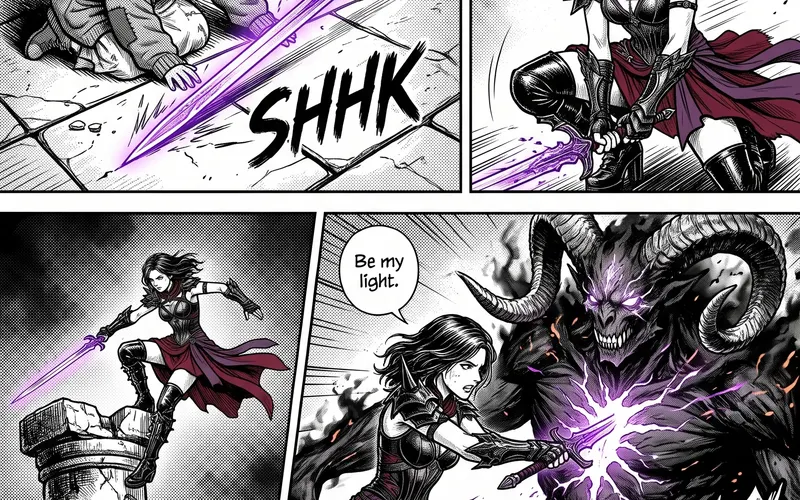 Manga pagesPlans a manga chapter as a whole story first, then scripts it page by page and panel by panel at the pace of a real…From the Manga chapter workflow
 Product photographyShoots a product from one photo as a consistent set of studio and lifestyle pictures, keeping the product exactly as it…From the Product photoshoot workflow