HTML component skill
Builds one self-contained, accessible UI component in a single HTML file, ready to paste into any site. Use for hero banners, pricing cards, feature grids, testimonials, navbars and other sections.
A SKILL.md for Claude Code, Codex and any agent that reads skills. It’s the craft behind Fil’s HTML component workflow, written out so your agent can follow it too.
Install it
Unzip it into your agent’s skills folder. The agent reads its name and description, and the rest only when a task needs it.
curl -fsSL https://fil.design/skills/html-component.zip -o /tmp/html-component.zip && unzip -o /tmp/html-component.zip -d ~/.claude/skillscurl -fsSL https://fil.design/skills/html-component.zip -o /tmp/html-component.zip && unzip -o /tmp/html-component.zip -d ~/.codex/skillsInstall the HTML component skill from https://fil.design/skills/html-component: unzip https://fil.design/skills/html-component.zip into your skills folder (~/.claude/skills for Claude Code, ~/.codex/skills for Codex), then read its SKILL.md.The skill
Read first
Spec.md for what the component is, its content, its states and its look; the reference and illustration wired in.
Build
- One HTML file: semantic markup, a <style> block and, only if needed, a small <script>. No frameworks or external files except web fonts.
- Everything scoped under one root class, so it can be pasted anywhere without clashing.
- Colours, radii and spacing as CSS custom properties on the root, so it's easy to restyle.
- Responsive from 320 px to full width, with the layout changing at one breakpoint at most.
- Hover, focus-visible and active states for everything clickable; a respectful prefers-reduced-motion.
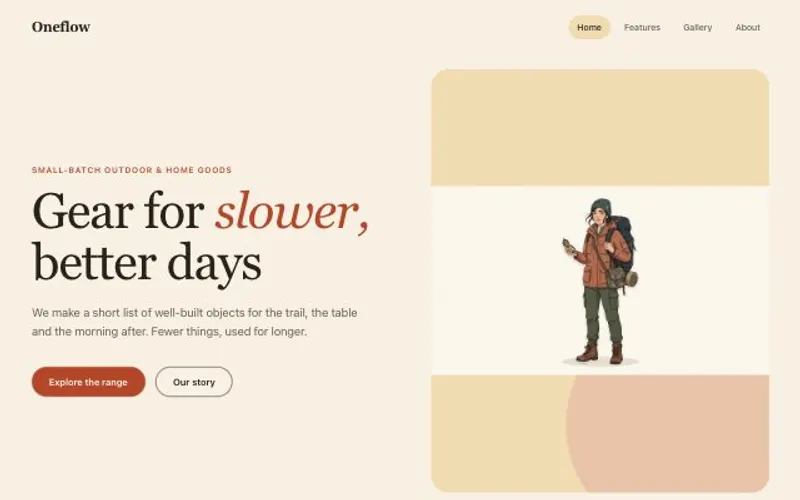
- The wired illustration shown whole, with rounded corners where it sits on a card.
Look
- One type scale (e.g. 48 / 20 / 15) and one accent colour from the spec, for the primary action only.
- Spacing on a 4 or 8 px grid, generous inside the component; a radius and border that match the reference.
- The illustration large and given room, beside or above the words, never squeezed into a corner.
Copy
Real words from the spec, short and specific. One primary action.
Avoid
Lorem ipsum, fixed widths that break on phones, inline styles everywhere, and animation that never stops.
What it reads
It was written for Fil’s HTML component workflow, which wires these into every step. Elsewhere, give your agent the same, or let it ask.
- Spec.mdWhat it is, its words, buttons and lookBrief
- ReferenceA screenshot of a component you like.Optional
Questions
What does the HTML component skill do?
Builds one self-contained, accessible UI component in a single HTML file, ready to paste into any site. Use for hero banners, pricing cards, feature grids, testimonials, navbars and other sections.
How do I install it in Claude Code?
Download https://fil.design/skills/html-component.zip and unzip it into ~/.claude/skills, or into a project’s .claude/skills folder, or run the command on this page. Claude Code reads the skill’s description and loads the rest when a request needs it.
Does it work in Codex and other agents?
Yes. Unzip it into ~/.codex/skills for Codex. It’s one SKILL.md file, so any agent that reads skills can use it, and you can paste it into a chat as well.
Do I need Fil to use it?
No. It was written for Fil’s HTML component workflow, which wires in Spec.md and Reference: give your agent the same, or let it ask. In Fil, the workflow runs it with the best models and shows the price before anything runs.
Is it free?
Yes. The skill is free to download.
More skills
 Website craftBuilds websites that look designed, not generated: a clear story, real copy, a strict type scale and generous spacing…From the React website workflow
 Landing pagePlans a landing page section by section for its kind of site, makes one picture for every section, from the hero…From the Landing page workflow
 Site with a CMSPlans a website whose content lives in collections people can edit, with pages that read from them and a design system…From the Website with a CMS workflow