Skip to the content
FilCommunityWorkflowsSkillsDocsOpen Fil

Video · Grok Imagine Video 1.5 Lite

Locked-off camera, no camera movement

Locked-off camera, no camera movement. She stands in place, breathing gently, hair swaying slightly, blinking once with a small warm smile, rose ink ribbons slowly curling around her. Very subtle motion, the pose stays the same, ending exactly where it began for a seamless loop. Plain grey background stays still.

Dan Le@danle8657

Model
Grok Imagine Video 1.5 Lite
Made by
Dan Le
Shared
Likes
0
Open in Fil

Use its prompt, turn it into a video or a 3D model, or find more like it in Fil. Fil is invite-only for now: without an invitation, Open in Fil shows the waitlist.

More like this

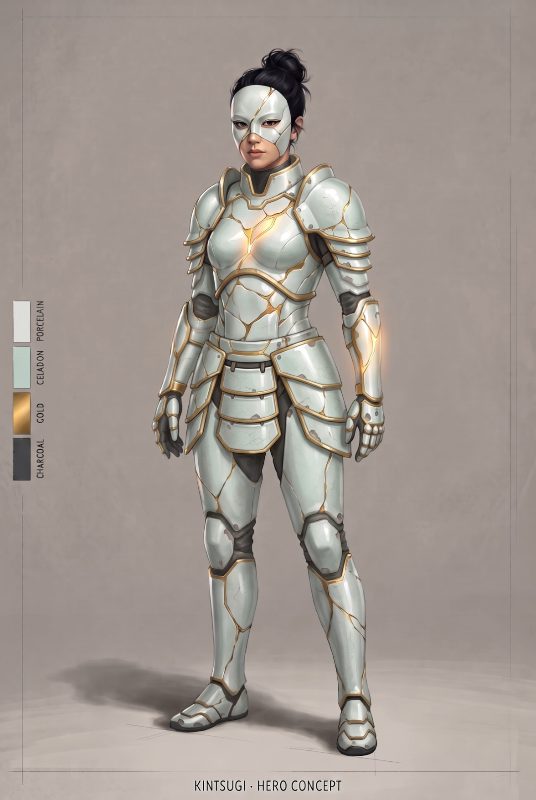
Gacha game home-screen idle animation of this exact character, keeping her design, outfit, colours and the plain dark…Gacha game home-screen idle animation of this exact character, keeping her design, outfit, colours and the plain dark background…Gacha game home-screen idle animation of this exact character and scene, keeping her design, outfit, colours and the…Gacha game home-screen idle animation of this exact character and scene, keeping her design, outfit, colours and the background unchanged…Locked-off camera, no camera movement at all. Start exactly on the image: Kintsugi, the hero in heavy glazed porcelain…Locked-off camera, no camera movement at all. Start exactly on the image: Kintsugi, the hero in heavy glazed porcelain plate armour with…Character sheet of the lead from Script.md: front, three-quarter and back views at one scale on a plain light background…Character sheet of the lead from Script.md: front, three-quarter and back views at one scale on a plain light background, with two head…The team photo in the skill’s Studio setting: everyone from the wired photos, as Team.md says. Reference (Team.md): # Team…The team photo in the skill’s Studio setting: everyone from the wired photos, as Team.md says. Reference (Team.md): # Team - **Team:** A…The team photo in the skill’s Candid setting: everyone from the wired photos, as Team.md says. Reference (Team.md): # Team…The team photo in the skill’s Candid setting: everyone from the wired photos, as Team.md says. Reference (Team.md): # Team - **Team:** A…Keyframe for shot 3 of Script.md, as the skill’s keyframes, in the same place and light as the wired Keyframe 1. Reference…Keyframe for shot 3 of Script.md, as the skill’s keyframes, in the same place and light as the wired Keyframe 1. Reference (Script.md): #…Keyframe for shot 2 of Script.md, as the skill’s keyframes, in the same place and light as the wired Keyframe 1. Reference…Keyframe for shot 2 of Script.md, as the skill’s keyframes, in the same place and light as the wired Keyframe 1. Reference (Script.md): #…Shot 2 from Script.md: start on the wired keyframe and play its action as one continuous five-second take, with the camera…Shot 2 from Script.md: start on the wired keyframe and play its action as one continuous five-second take, with the camera move it names…Shot 3 from Script.md: start on the wired keyframe and play its action as one continuous five-second take, with the camera…Shot 3 from Script.md: start on the wired keyframe and play its action as one continuous five-second take, with the camera move it names…Shot 1 from Script.md: start on the wired keyframe and play its action as one continuous five-second take, with the camera…Shot 1 from Script.md: start on the wired keyframe and play its action as one continuous five-second take, with the camera move it names…Keyframe for shot 1 of Script.md, as the skill’s keyframes. Reference (Script.md): # Script - **Logline:** On her last…Keyframe for shot 1 of Script.md, as the skill’s keyframes. Reference (Script.md): # Script - **Logline:** On her last night before the…