Create AI Avatar, a skill for Claude Code, Codex and Cursor
A skill for Claude Code, Codex and Cursor: a HeyGen digital twin trained on a couple of minutes of your own footage, saying lines you never recorded in your own ElevenLabs voice, on the engine whose mouth moves most like yours, judged close up beside your real footage.
Install it
Claude Code:
curl -fsSL https://fil.design/skills/create-ai-avatar.zip -o /tmp/create-ai-avatar.zip && unzip -o /tmp/create-ai-avatar.zip -d ~/.claude/skillsCodex:
curl -fsSL https://fil.design/skills/create-ai-avatar.zip -o /tmp/create-ai-avatar.zip && unzip -o /tmp/create-ai-avatar.zip -d ~/.codex/skillsGitHub:
npx degit MengTo/Skills/agent-skills/media/create-ai-avatar ~/.claude/skills/create-ai-avatarOr make one in Fil with its workflow: https://fil.design/workflows/create-ai-avatar. Fil is invite-only for now: join the waitlist at https://fil.design/waitlist.
Or tell your agent:
Install the Create AI Avatar skill from https://fil.design/skills/create-ai-avatar: unzip https://fil.design/skills/create-ai-avatar.zip into your skills folder (~/.claude/skills for Claude Code, ~/.codex/skills for Codex), then read its SKILL.md.The skill’s folder: https://fil.design/skills/create-ai-avatar.zip (zip), GitHub, and each file:
- https://fil.design/skills/create-ai-avatar/SKILL.md: The mechanism, the workflow, the rules and their failures, the engines, the numbers
- https://fil.design/skills/create-ai-avatar/references/footage.md: Picking, joining and checking the takes a twin learns from
- https://fil.design/skills/create-ai-avatar/references/heygen.md: Every HeyGen call the scripts make, its answers and its prices
- https://fil.design/skills/create-ai-avatar/references/judging.md: The mouth sheet, what to look for, and showing the person
- https://fil.design/skills/create-ai-avatar/scripts/keys.mjs: Keys from the environment or .env.local, and one HeyGen client
- https://fil.design/skills/create-ai-avatar/scripts/prep-footage.sh: Your takes joined into one clip to train from, under 200 MB
- https://fil.design/skills/create-ai-avatar/scripts/upload.mjs: A file uploaded to HeyGen as an asset, its id kept beside it
- https://fil.design/skills/create-ai-avatar/scripts/train.mjs: A twin trained from the footage, waited for, and its consent link
- https://fil.design/skills/create-ai-avatar/scripts/consent.mjs: Where a twin’s consent stands, and a fresh link
- https://fil.design/skills/create-ai-avatar/scripts/voice.mjs: A line in your own ElevenLabs voice, as an MP3
- https://fil.design/skills/create-ai-avatar/scripts/hear.mjs: What a line or a render actually says, written down
- https://fil.design/skills/create-ai-avatar/scripts/render.mjs: One line on one engine, priced first, waited for and saved
- https://fil.design/skills/create-ai-avatar/scripts/mouths.sh: The mouth of each render beside your real one, six moments a row
- https://fil.design/skills/create-ai-avatar/scripts/balance.mjs: What’s left in the HeyGen wallet
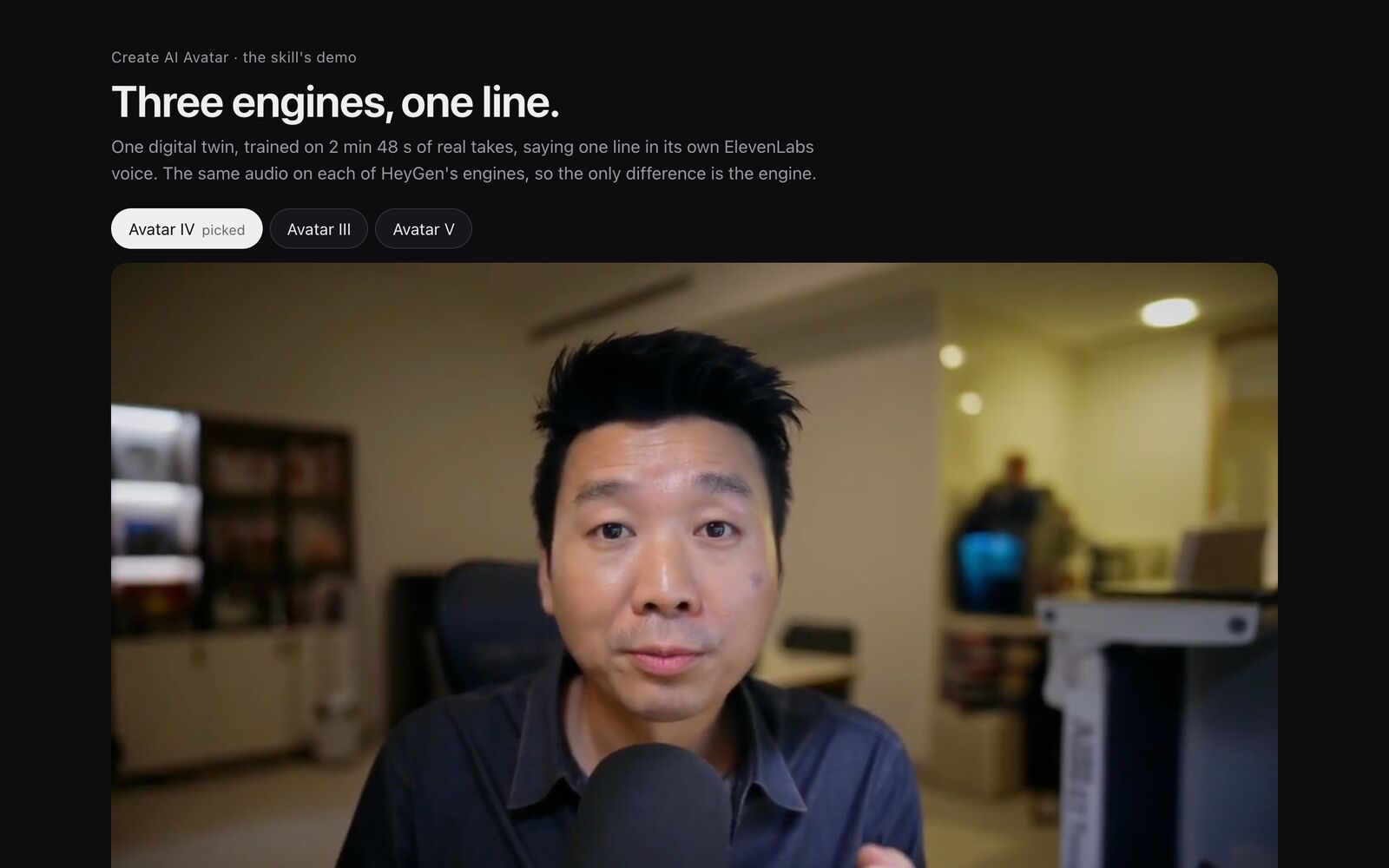
- https://fil.design/skills/create-ai-avatar/demo/index.html: One twin, one line, three engines, and the mouths beside the real ones
- https://fil.design/skills/create-ai-avatar/demo/avatar-iv.mp4: The line on Avatar IV, the pick
- https://fil.design/skills/create-ai-avatar/demo/avatar-iii.mp4: The line on Avatar III
- https://fil.design/skills/create-ai-avatar/demo/avatar-v.mp4: The line on Avatar V
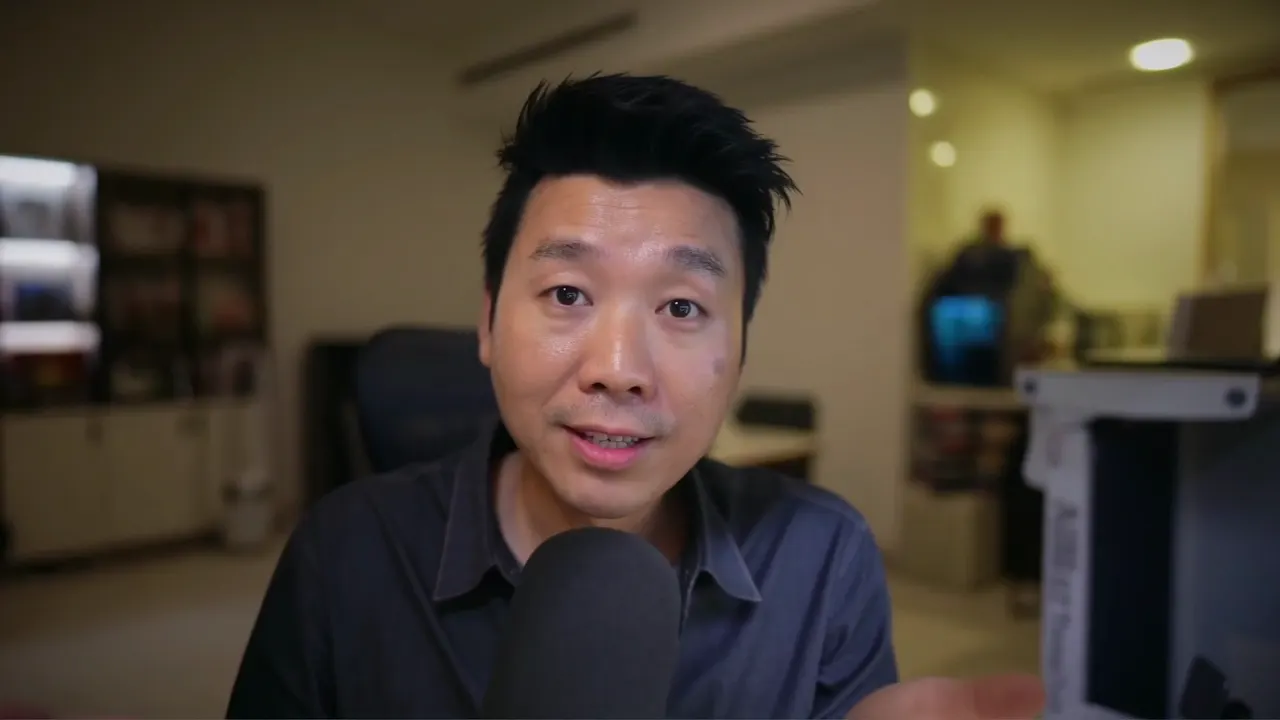
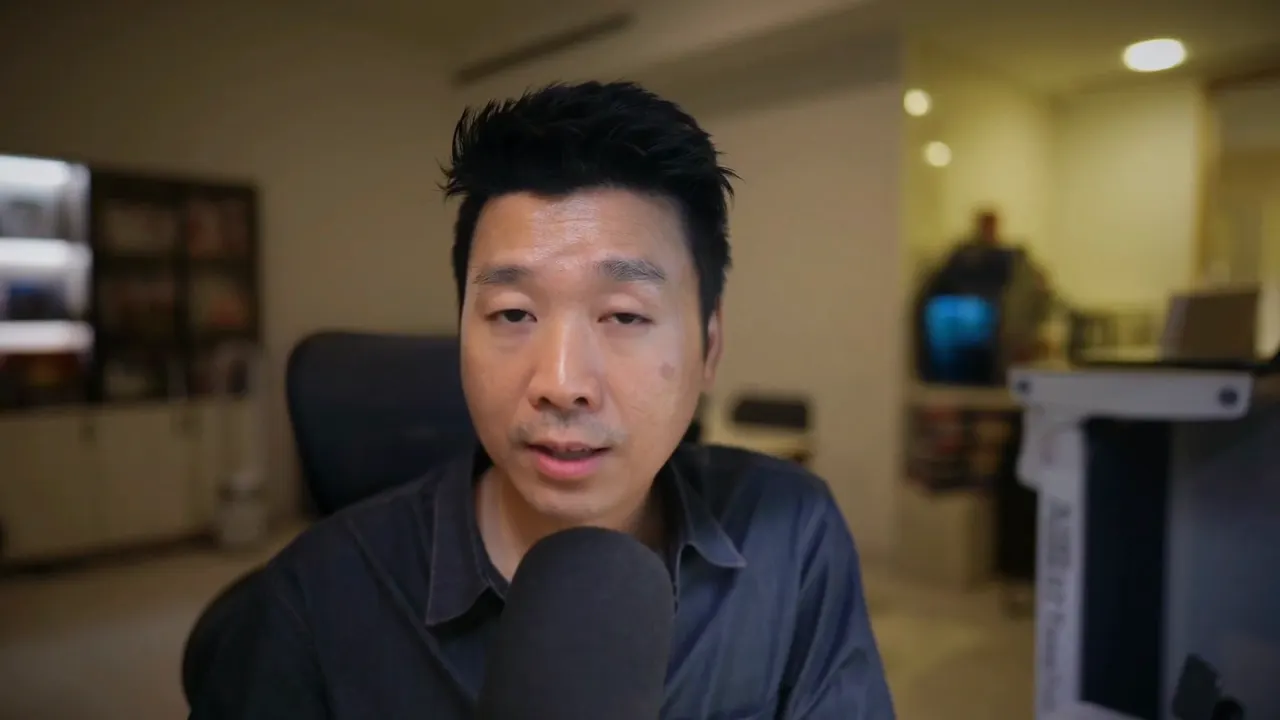
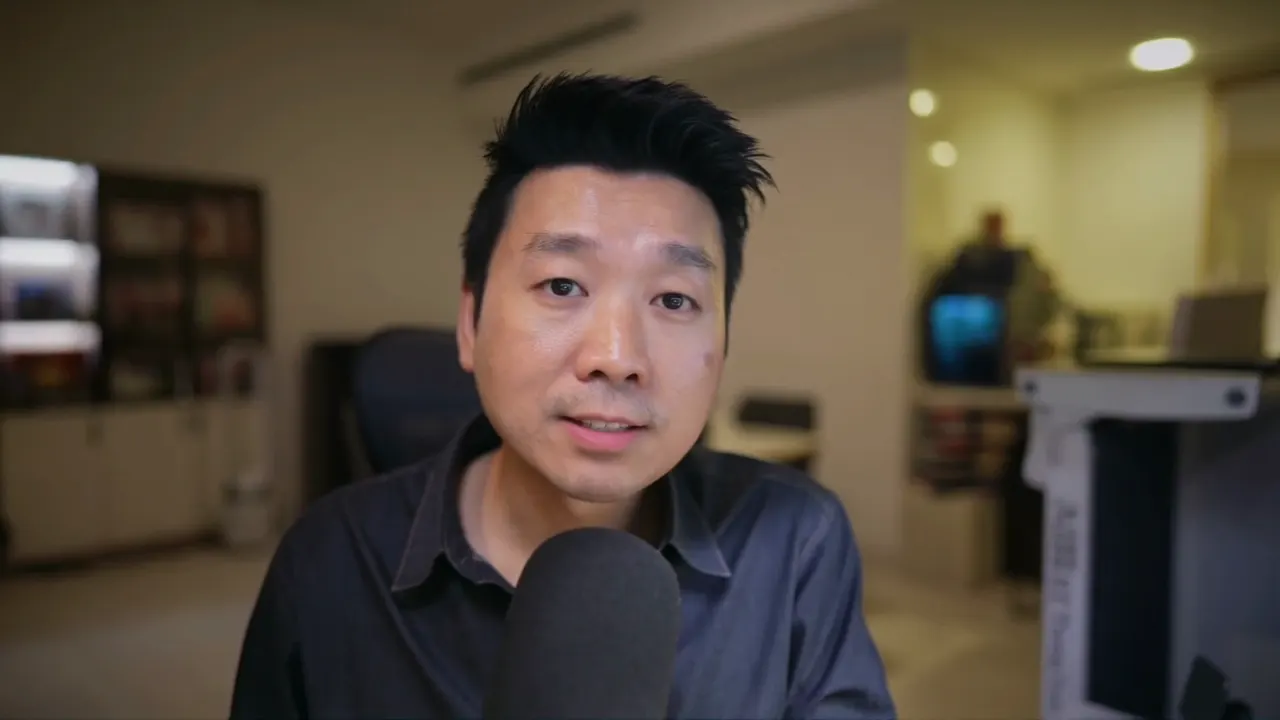
- https://fil.design/skills/create-ai-avatar/demo/avatar-iv.webp: Avatar IV, still
- https://fil.design/skills/create-ai-avatar/demo/avatar-iii.webp: Avatar III, still
- https://fil.design/skills/create-ai-avatar/demo/avatar-v.webp: Avatar V, still
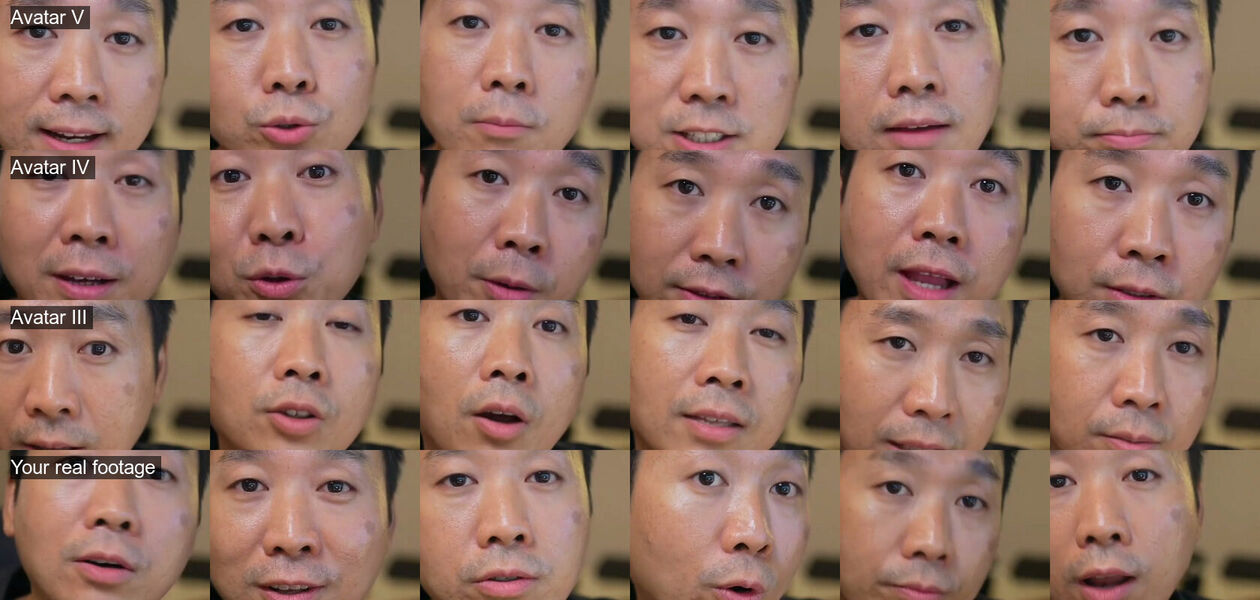
- https://fil.design/skills/create-ai-avatar/demo/mouths.jpg: The mouth sheet: each engine, then the real footage
- https://fil.design/skills/create-ai-avatar/demo/PROMPT.md: Prompts to make your own, fix one that over-acts, or remix the page
- https://fil.design/skills/create-ai-avatar/demo/preview.jpg: The demo, still
- https://fil.design/skills/create-ai-avatar/agents/openai.yaml: Its name and prompt for Codex
SKILL.md
HeyGen API · ElevenLabs · ffmpeg. Scripts are plain Node 20 and bash, with no packages to install.
An avatar of you is three things, each from its best source. The face and the way you move come from your own footage (a HeyGen digital twin). The voice is your own clone on ElevenLabs, made into an audio file. One engine lip-syncs the two. You then judge the result where likeness breaks first: the mouth, close up, beside your real one.
Boundary. Use html-explainer-video for a film with no face in it, and html-reel to cut your real phone takes into a reel. Use this skill when the person on screen should be you, saying words you didn't record.
Provenance. Built on 2–3 November 2026, making Meng To's twin from the eye-contact takes of his Framer video (2 min 48 s) and his ElevenLabs voice, Meng Voice 2026 Pro on v4. The same 8.8-second line was rendered on all three engines. Avatar V over-acted his mouth, and he picked Avatar IV.
The mechanism
Keep the face, the voice and the lip-sync apart, and only ever change one of them. The twin is trained once. The voice is a file you listen to before it goes anywhere. A render is the twin plus that file on one engine. When something looks wrong you can then tell which part to change. Use the same line and the same audio for every engine you compare: a new line hides what the engine did.
HeyGen can't use an ElevenLabs voice by its id. Make the line on ElevenLabs (scripts/voice.mjs), then send HeyGen the audio as audio_asset_id or audio_url instead of script and voice_id. The video is as long as the audio, up to 30 minutes.
Judge it by the mouth. In a whole frame every engine looks fine. Crop the nose-to-chin box at six moments of each render and of your real footage, and stack them (scripts/mouths.sh). Then look at how wide the lips stretch, how much of the teeth show, the colour of the lips and the corners of the mouth.
Two ways to an avatar
| Digital twin | Talking photo | |
|---|---|---|
| From | 15 s to 10 min of footage, about 2 min best | One photo |
| Costs first | About $2.13 to train, plus consent | Nothing |
| A second of video | Avatar V $0.12, IV $0.0805, III $0.01 | $0.0385 (Avatar IV) |
| Moves | As you do: your head, your habits | What the engine imagines |
| Use for | Anything that has to pass as you | A quick line, or no footage yet |
Both take your audio. Fil's Create AI avatar workflow is the talking photo: your photo and a voice, wired into HeyGen Avatar IV.
The workflow
- Pick the footage (references/footage.md). Use your best talking takes: you alone, facing the camera with the face in frame throughout, in a quiet room, at 1080p. That's two to three minutes of natural speech. Eye-contact takes are best. Download each once and join them with
bash scripts/prep-footage.sh footage.mp4 take-*.mp4. - Upload it.
node scripts/upload.mjs footage.mp4direct-uploads up to 200 MB and keeps the asset id beside the file. - Train it. Say the price ($2.13) and the wallet first. Then run
node scripts/train.mjs --footage <asset_id> --name "Ada · March takes", which trains in a few minutes. A new character gets a consent link: the person in the footage opens it within 24 hours and records a short statement. The twin renders only once its look iscompletedand its consentaccepted. To add new footage of the same person, pass--group. - Make the line. Run
node scripts/voice.mjs "<one line, about 25 words>" line.mp3 --voice <your clone>. Listen to it, and check its words withnode scripts/hear.mjs line.mp3. - Render the same line on each engine you're weighing, with no motion prompt:
node scripts/render.mjs --look <look_id> --audio line.mp3 --engine avatar_iv. Each render prints its price first and the wallet after. - Judge. Run
bash scripts/mouths.sh mouths.jpg footage.mp4 twin-avatar_v.mp4 twin-avatar_iv.mp4 twin-avatar_iii.mp4and put the renders side by side with their sound. Show the person both before saying which is best: it's their face (references/judging.md). - Use the one they pick for the real lines, and write it down with the ids: the look, the group, the voice and the engine.
Rules
Each rule names the failure it prevents.
- A new render needs a new Idempotency-Key. One render was sent again with the first render's key, and HeyGen handed back the first video.
render.mjsbuilds the key from the subject and the audio. - Change the engine, not the prompt, when the mouth over-acts. On Avatar V the lips stretched wide and both rows of teeth showed. A
motion_promptandmore_blinkingchanged almost nothing; Avatar IV and III fixed it. expressivenessis for photo avatars on Avatar IV only. Avatar V rejects it, and a twin doesn't take it.- A calm read beats an acted one. A stability-0 read with
[excited]and[laughs]sounded less like him than the default. Start calm, and change the voice only after the face is right. - A twin is no sharper than its footage. Takes scaled down to 720p gave a 1280×720 look. Train from 1080p.
- Say the price and the wallet before every paid call. The wallet is the account's, so anything else on the same key spends from it too. It once dropped $1.76 more than the twin and one render cost.
- Consent belongs to a group and to one person. Never add someone else's footage to a group, and never train anyone who hasn't agreed. HeyGen runs no consent check for a photo, so getting the person's agreement is on you.
- Download a source once, then work from the local file. Never loop ffmpeg over a signed link.
- Training clones a voice too. HeyGen makes
default_voice_idfrom the footage as its own resource. Use it only if your ElevenLabs clone isn't there. Deleting the twin doesn't delete it. - Hands can come out wrong. Avatar IV gestures, and in one render a thumb looked rubbery. Watch the whole frame once before using a take.
The engines, on one twin and one line
| Engine | A second | The mouth | Everything else |
|---|---|---|---|
| Avatar V | $0.12 | Lips stretched, both rows of teeth, pinker lips | Smoothed skin; invents the most |
| Avatar IV | $0.0805 | Small and round, top teeth now and then | Hand gestures; the owner's pick |
| Avatar III | $0.01 | Closest: small openings, natural lip colour | Your real head movement; oldest, so check sync by ear |
That's one face in one session, so judge your own: it's why step 6 exists.
Numbers
- Footage: 15–600 s (about 2 min best), long edge 640–4096 px, mp4 or webm, one person, up to 200 MB direct.
- Training: about $2.13, about 4 minutes for 2 min 48 s.
- Consent link: valid 24 hours.
- A line: about 25 words, 8–10 s, the same audio for every engine.
- One 8.8 s render: Avatar V $1.05, IV $0.71, III $0.09; 2–3 minutes each.
- Audio: mp3 or wav, up to 32 MB as an asset, up to 30 minutes a video.
- Mouth sheet: 6 moments a row, a 420 × 300 box of a 1920-wide frame, moved to fit the face.
Files
references/footage.md: picking, joining and checking takesreferences/heygen.md: every HeyGen call the scripts make, and its answersreferences/judging.md: the mouth sheet, what to look for, showing the personscripts/keys.mjs: keys from the environment or.env.local, and the HeyGen clientscripts/prep-footage.sh,upload.mjs,train.mjs,consent.mjs,voice.mjs,hear.mjs,render.mjs,mouths.sh,balance.mjsdemo/index.html: the three engines on one line, side by side, with the mouth sheet
Keys: HEYGEN_API_KEY, ELEVENLABS_API_KEY and ELEVENLABS_VOICE_ID (your clone), from the environment or .env.local. They're never printed.